E-Scooter Won’t Turn On: 5 Things to Try Before Calling Repair
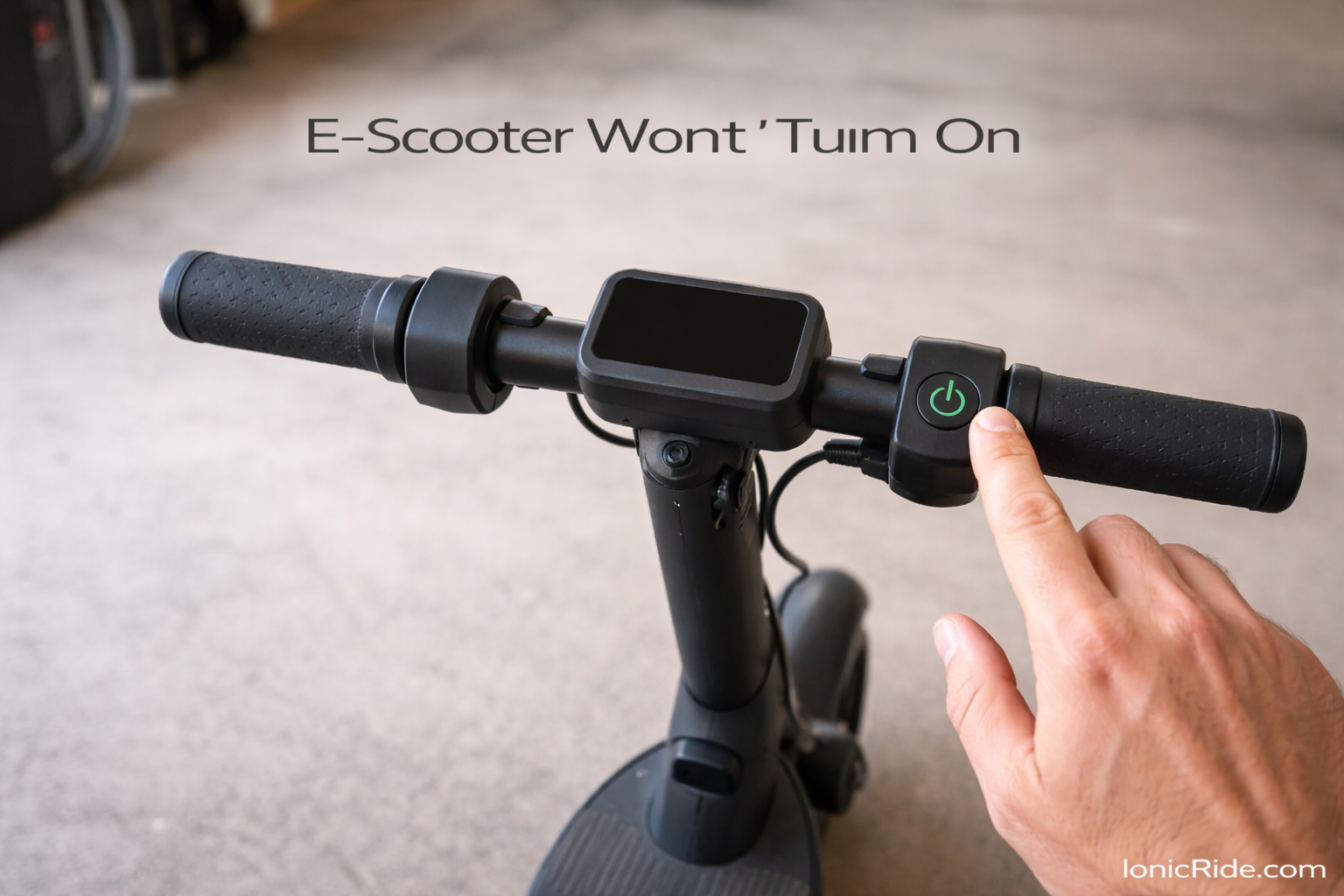
You press the power button. Nothing.
Press it again. Hold it longer. Still nothing. No lights, no beep, no response.
Before you panic and assume it’s dead, try these five fixes. One of them usually solves it.
Quick diagnostic: What’s actually happening?
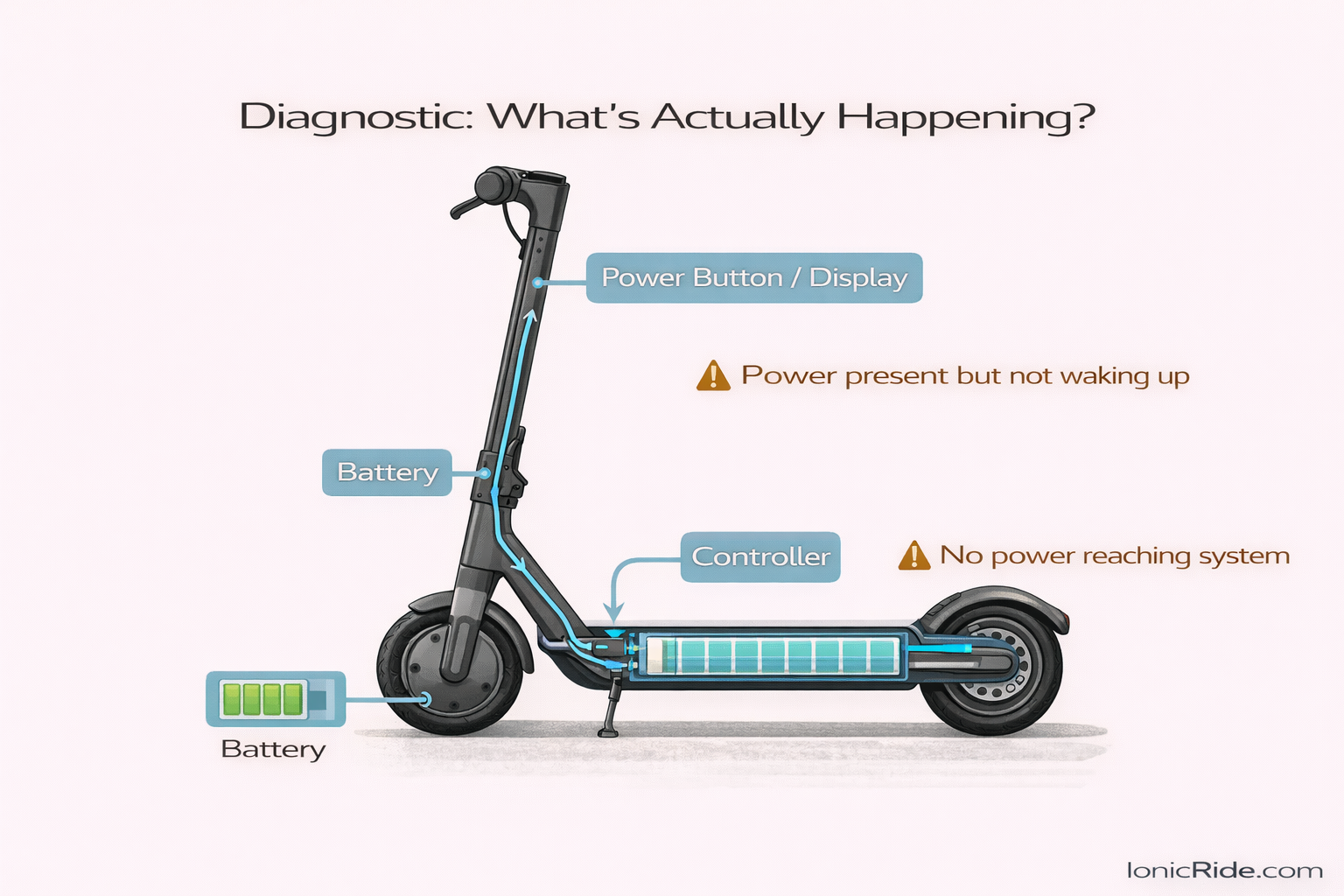
First, figure out what kind of “won’t turn on” you’re dealing with.
Scenario 1: Completely dead. No lights, no sounds, no response at all when you press the power button.
Scenario 2: Display turns on briefly, then shuts off immediately.
Scenario 3: Display turns on and stays on, but the motor doesn’t engage when you try to ride.
Each scenario has different likely causes. But we’ll start with the most common fixes that work for all three.
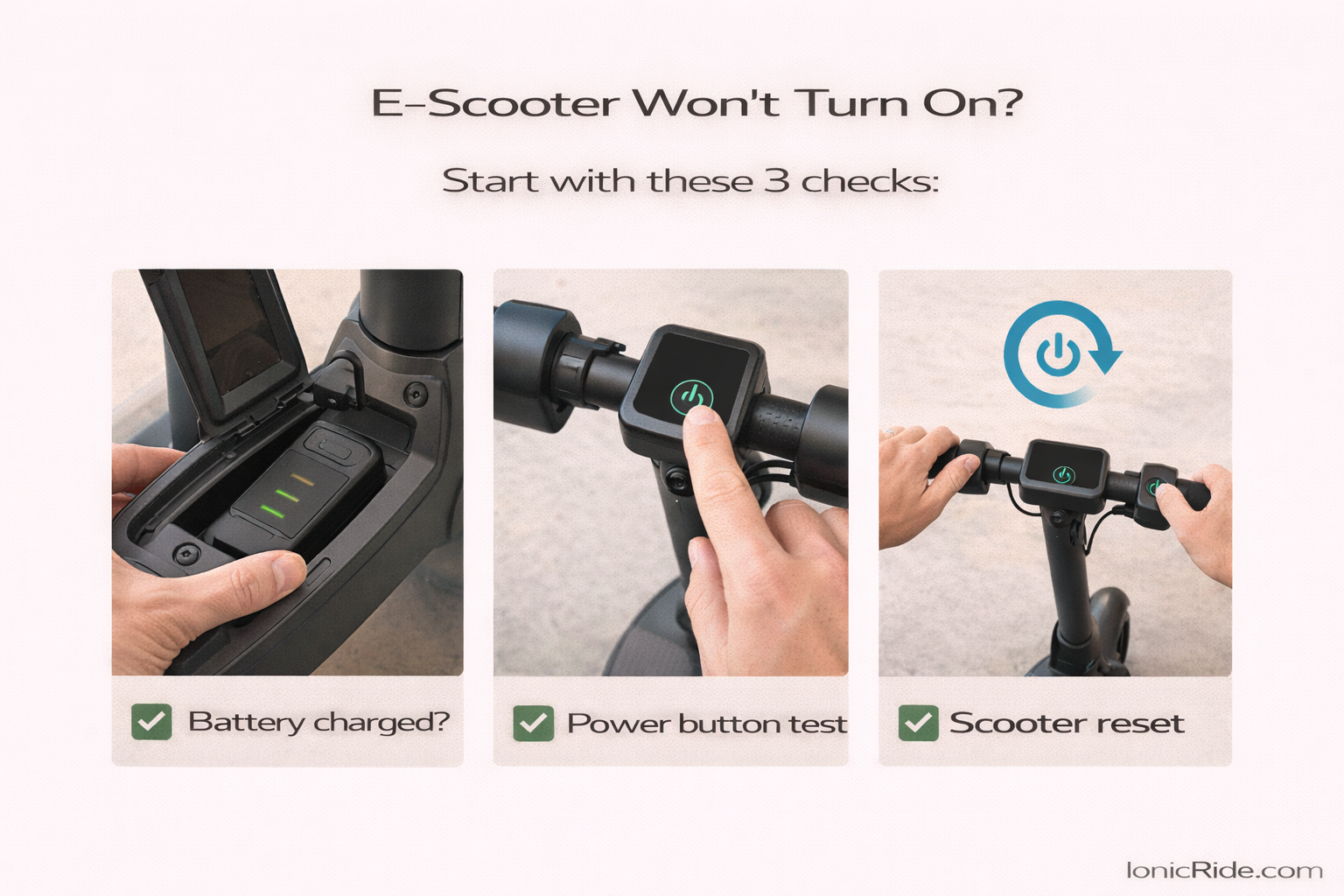
Fix #1: Check if the battery is actually charged
I know. This sounds obvious. But it’s the most common problem.
The battery might show a charge indicator on the scooter, but if it’s been sitting unused for weeks, it could be dead — or the BMS (Battery Management System) might have shut it down for protection.
What to do:
Step 1: Plug in the charger. Make sure the charger’s LED lights up (usually green or red).
If the charger doesn’t light up, the problem might be the charger or the wall outlet — not the scooter.
Step 2: Leave it plugged in for 10–15 minutes, even if the light turns green immediately.
Sometimes a fully depleted battery needs time to “wake up” before it’ll accept a charge.
Step 3: Try turning on the scooter while it’s plugged in.
Some scooters won’t turn on if the battery is below a certain threshold. But they will turn on if you’re actively charging.
Your battery was just dead or the BMS had shut down. Charge it fully, then test again.If it happens repeatedly, the battery might be degraded and needs replacement. UAE heat makes this much more common — explained here: how Dubai heat affects e-bike and e-scooter batteries. how Dubai heat affects e-bike and e-scooter batteries.
Fix #2: Check the power button itself
Power buttons fail. Dirt gets in. Contacts corrode. The button gets stuck.
If the button isn’t making proper contact, the scooter thinks you’re not pressing it.
What to do:
Step 1: Press the power button firmly and hold it for 5–10 seconds.
Some scooters require a long press to turn on (especially after being off for a while).
Step 2: Try pressing the button multiple times in different ways — harder, softer, at different angles.
If it only works when you press it a certain way, the button mechanism is failing.
Step 3: Look for dirt or debris around the button. Blow it out or wipe it gently with a dry cloth.
Don’t spray water or cleaner directly on it — that can make things worse.
Replacing a power button is usually cheap (AED 50–150 for parts + labor). Some buttons are easy to access. Others require disassembling the display. Take it to a shop unless you’re comfortable with electronics.
Fix #3: Reset the scooter
Sometimes the controller or BMS gets stuck in a fault state. A reset clears it.
(It’s the classic IT solution: turn it off and on again. Except when “off” doesn’t work, you force a reset.)
What to do:
Method 1: Power cycle with the battery
If your scooter has a removable battery, remove it. Wait 30 seconds. Reinstall it. Try turning on the scooter.
Method 2: Use the reset button (if your scooter has one)
Some scooters have a small reset button near the charging port or under the deck. Press it with a paperclip or pin. Hold for 3–5 seconds. Try powering on.
Method 3: Disconnect the battery internally (advanced)
If you can access the battery compartment, unplug the battery connector from the controller. Wait 30 seconds. Reconnect. This forces a full reset.
Warning: Only do this if you’re comfortable opening the scooter. And make sure it’s powered off and unplugged first.
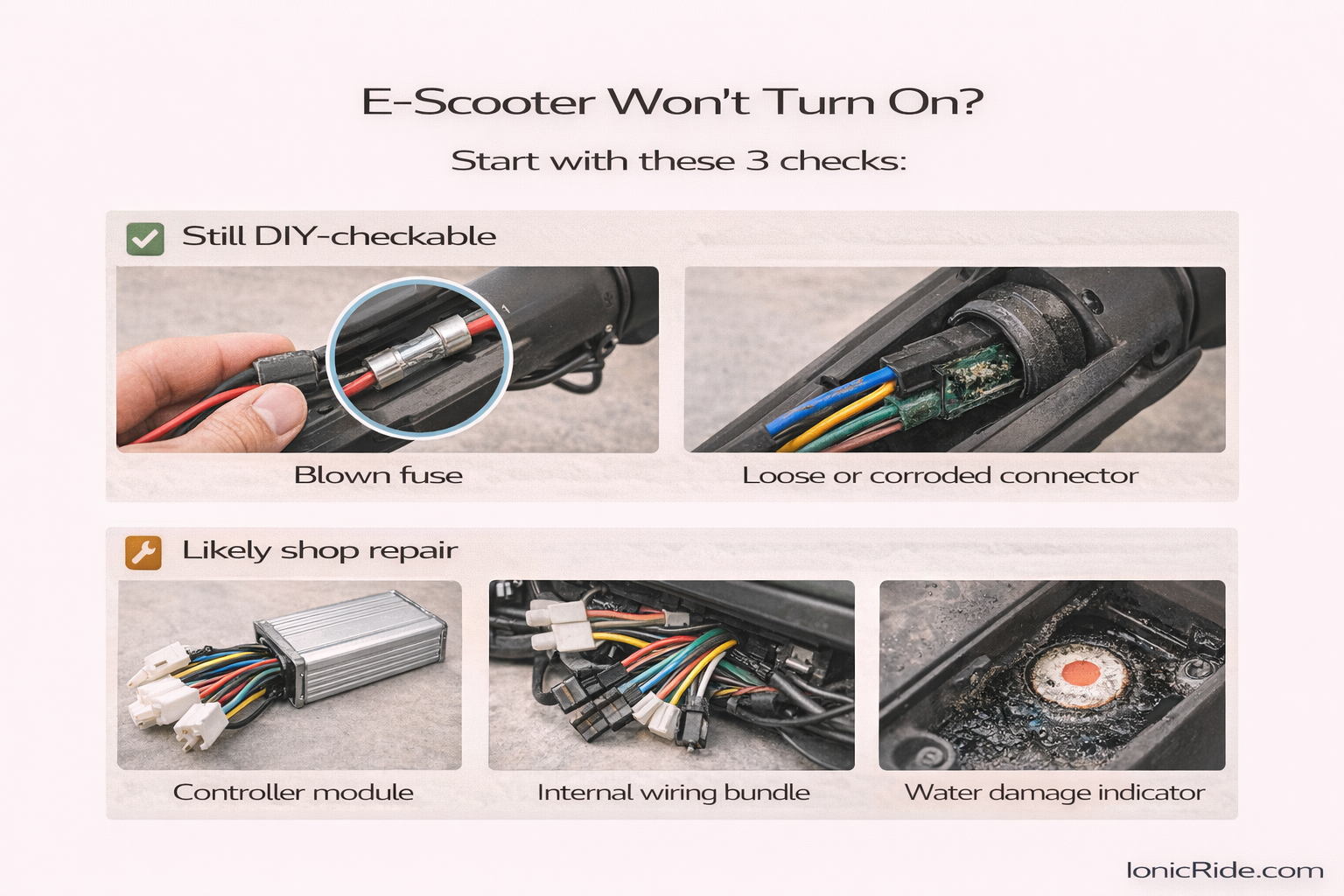
Fix #4: Check for a blown fuse
Many e-scooters have a fuse to protect the electrical system. If there was a power surge or short circuit, the fuse might have blown.
When the fuse blows, the scooter won’t turn on at all. No lights. No response. Dead.
What to do:
Step 1: Locate the fuse. It’s usually near the battery or controller. Check your scooter’s manual or look online for your specific model.
Step 2: Remove the fuse and inspect it. If the metal wire inside is broken or burnt, it’s blown.
Step 3: Replace it with a fuse of the same amperage rating. (Don’t use a higher-rated fuse — that defeats the protection.)
Fuses are cheap — AED 5–20. You can find them at electronics shops or hardware stores.
There’s an underlying electrical problem. Don’t keep replacing fuses. Take it to a shop. Something’s shorting out, and you need to find the root cause.
Fix #5: Check for loose or corroded connections
E-scooters vibrate. A lot. Over time, connectors can work loose.
If the connection between the battery and controller is loose or corroded, the scooter won’t get power — even if the battery is fully charged.
What to do:
Step 1: Open the deck or battery compartment (if you can access it safely).
Step 2: Look at every connector you can see. Are they fully seated? Any visible corrosion (green or white crusty stuff)?
Step 3: Unplug and re-plug each connector firmly. Make sure they click into place.
If there’s corrosion, clean it gently with a dry cloth or cotton swab. For stubborn corrosion, use isopropyl alcohol.
Step 4: Check the main battery connector specifically. This is the most common failure point.
If the pins are bent or the connector is damaged, you might need to replace it.
The connection was loose or corroded. This happens more often in humid or dusty environments (hello, UAE). Check connections every few months to prevent this.
If none of these work
You’ve tried everything above and the scooter still won’t turn on. At this point, the problem is likely one of these:
Dead battery (beyond recovery)
If the battery was stored dead for weeks, or exposed to extreme heat repeatedly, the cells might be permanently damaged. The BMS won’t let you charge it because it detects unsafe voltage levels.
A shop can test this. If the battery’s dead, you’ll need a replacement (AED 400–1,200 depending on capacity).
Failed controller
The controller is the brain of the scooter. If it’s fried — from water damage, overvoltage, or just age — the scooter won’t respond to anything.
Controllers are AED 200–600 to replace, depending on the scooter model.
Internal wiring damage
A wire might have broken, shorted, or come loose inside the frame. This requires tracing the electrical system to find the fault.
This is a shop job. Not something most people can diagnose at home.
Water damage
If the scooter got soaked — rain, puddle, pressure washing — water might have shorted out the electronics.
Even if it dried out, corrosion can continue to spread and cause failures weeks later.
If you suspect water damage, don’t keep trying to turn it on. You might make it worse. Take it to a shop, let them open it up, and assess the damage.
When to DIY vs when to take it to a shop
DIY if:
- The battery was just dead and needed charging
- You found a loose connection and reseated it
- The fuse was blown and you replaced it with the correct rating
- A reset fixed it
Take it to a shop if:
- You’ve tried all 5 fixes and it still won’t turn on
- The fuse keeps blowing repeatedly
- You see visible damage (burnt wires, melted connectors, swollen battery)
- You’re not comfortable opening the scooter or working with electrical components
- You suspect water damage
How much will a repair cost?
If you can’t fix it yourself, here’s a rough estimate of what a shop might charge in the UAE:
Diagnostic fee: AED 50–150 (sometimes waived if you do the repair)
Power button replacement: AED 100–200 (parts + labor)
Fuse replacement: AED 50–100 (mostly labor, fuses are cheap)
Battery replacement: AED 400–1,200 depending on capacity
Controller replacement: AED 200–600 depending on model
Wiring repair: AED 150–400 depending on complexity
If the scooter is old (3+ years) and the repair cost is more than 50% of a new scooter’s price, replacement might make more sense than repair. This decision comes up often when comparing options — covered in this honest e-bike vs e-scooter comparison for the UAE.
One last thing: Prevention
Most “won’t turn on” problems are preventable. A simple routine like this monthly e-bike maintenance checklist prevents the same electrical issues on scooters too.
Don’t let the battery sit dead for weeks. If you’re not using the scooter, charge it to 50–60% and check it once a month.
Keep it dry. Don’t ride through deep puddles. Don’t pressure-wash it. Don’t leave it outside in the rain.
Check connections occasionally. Open the deck every few months and make sure everything’s tight and corrosion-free.
Store it properly. Not in direct sun. Not in a hot car. Preferably indoors in a cool, dry place.
Do that, and you’ll avoid 80% of the “scooter won’t turn on” issues people bring to the shop.