
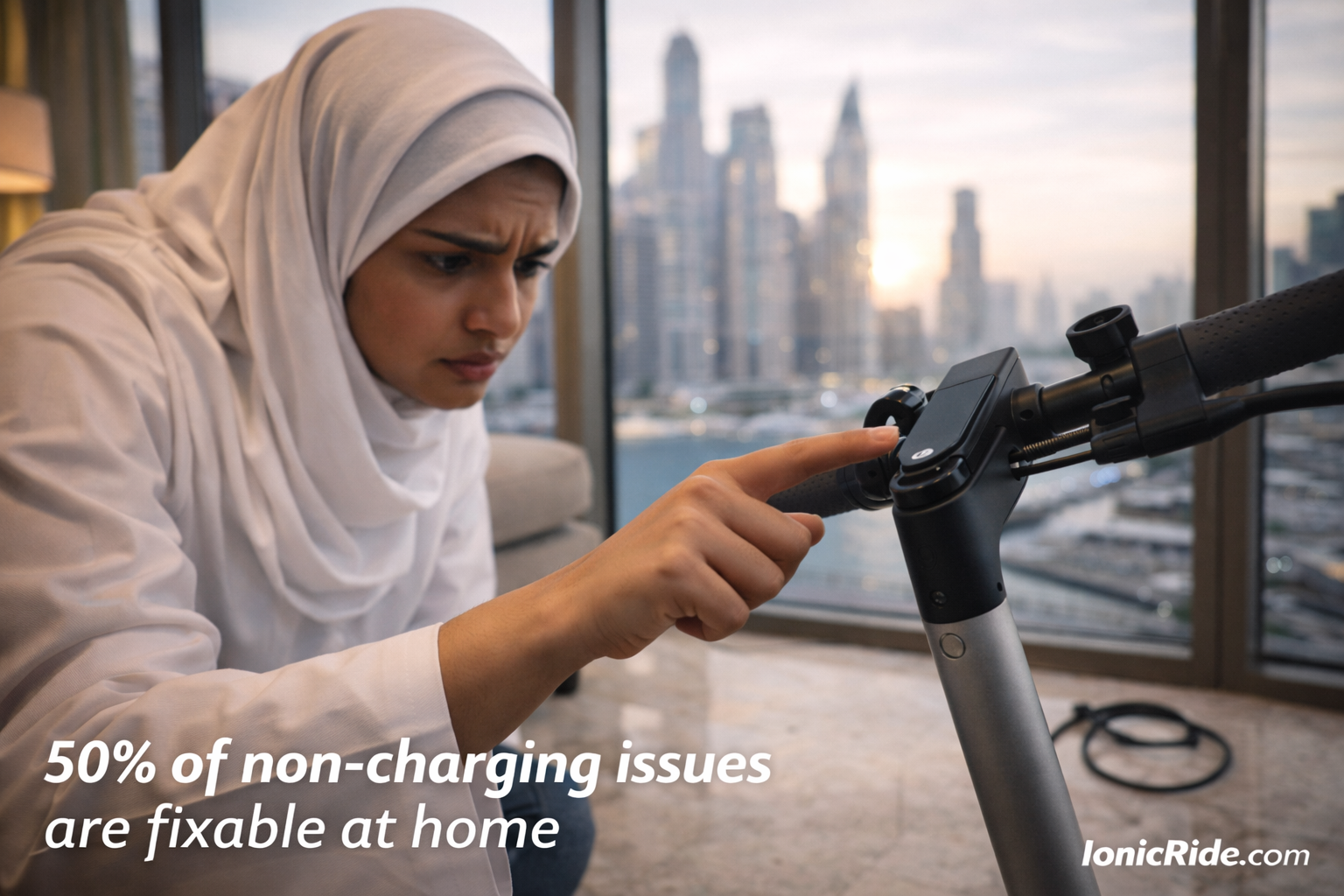
Why Won’t My E-Scooter Turn On? 5 Quick Fixes (Dubai Tested)
Customer walked in yesterday. “My scooter is dead. Won’t turn on at all.”
I pressed the power button. Held it for 5 seconds. Scooter booted up.
He’d been tapping it. Not holding it.
Here are the 5 reasons your scooter won’t power on, ranked by how often we see them.
Start Here: The 30-Second Diagnostic
Before panicking, answer these questions:
| Question | If YES | If NO |
|---|---|---|
| Did you charge it recently? | Check Fix #2 (charging issue) | Battery is dead → Fix #1 |
| Does display light up at all? | Power button works → Fix #3 | Display or power issue → Fix #4 |
| Did it get wet recently? | Water damage → Fix #5 | Continue diagnostics |
| Any error codes showing? | BMS lockout → Fix #3 | Continue diagnostics |
Fix #1: Battery is Completely Dead (Most Common)
How often we see this: 50% of “won’t turn on” cases
The Problem
You left the scooter unused for 2+ weeks. Battery self-discharged to 0%. Now it won’t boot.
Or you rode it until it died, then tried to turn it on again. Still dead.
The Fix
- Connect charger to wall outlet first
- Check charger LED lights up (usually red)
- Plug charger into scooter
- Wait 10-15 minutes
- Try turning on scooter
If battery was completely dead (0%), it needs 10-15 minutes of charging before it has enough power to boot the display.
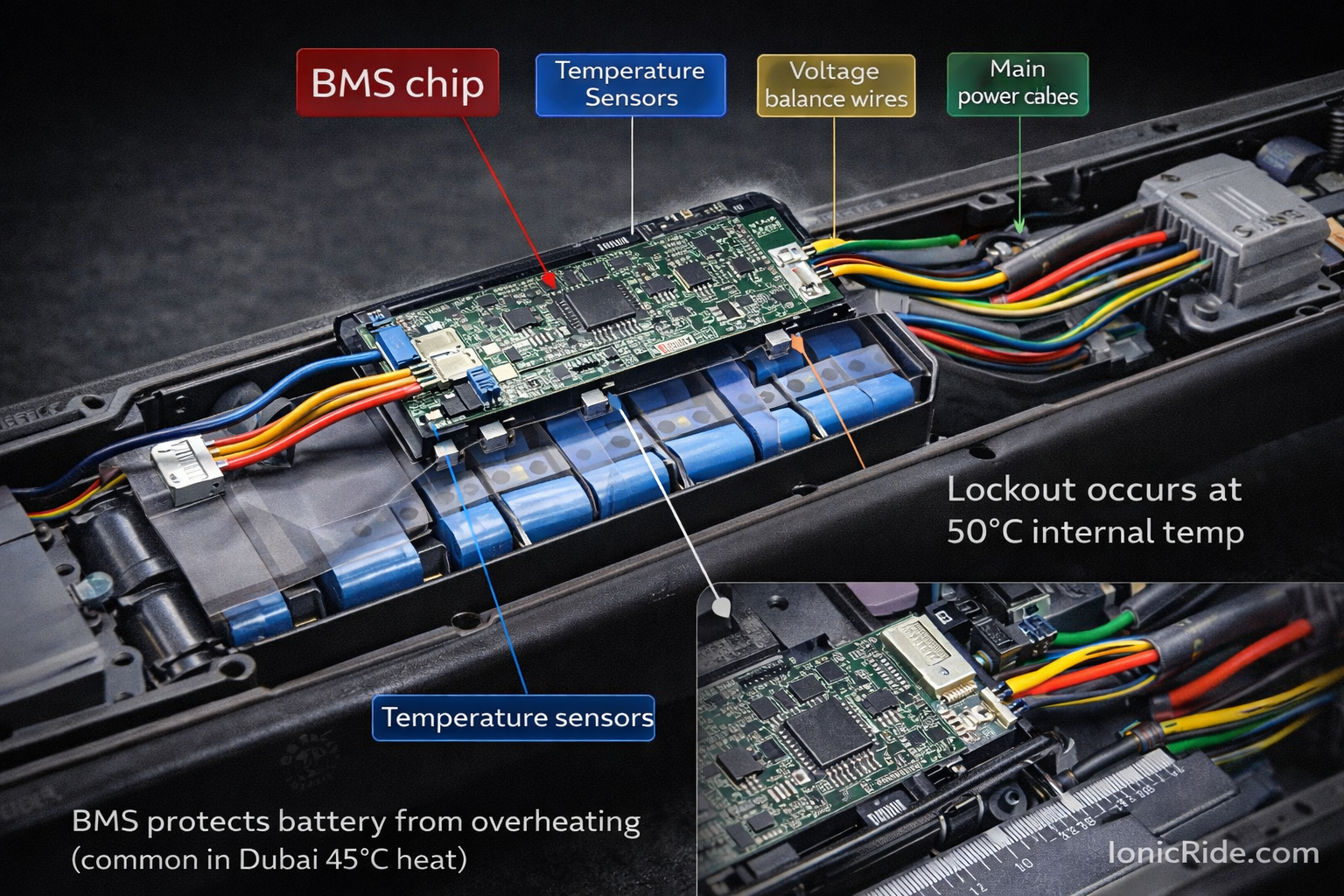
If scooter was sitting in 45°C+ heat, battery might be too hot to charge. BMS blocks charging above 50°C.
Solution: Move scooter to cool room (AC on). Wait 30 minutes. Then try charging.
Prevention
Never let battery drain to 0%. Charge when it hits 20-30%. If storing scooter for weeks, charge to 50-60% first.
Fix #2: You’re Not Holding the Power Button Long Enough
How often we see this: 20% of cases (mostly new riders)
The Problem
Power button requires 3-5 second press to turn on. Quick tap doesn’t work.
You’re tapping it like a phone screen. Scooter stays off.
The Fix
- Press and HOLD power button
- Count to 5 (one-thousand-one, one-thousand-two…)
- Keep holding until display lights up
- Release button
Most scooters need 3-5 seconds. Some (like Xiaomi Pro 2) need the full 5 seconds.
With scooter off, press power button briefly (1 second). Does display flash for a moment? Button works, you just need to hold longer.
Fix #3: BMS Lockout (Battery Management System Protection)
How often we see this: 15% of cases
The Problem
Battery Management System detected a problem and locked itself to prevent damage. Common triggers:
- Battery overheated (Dubai heat)
- Voltage dropped too low
- Short circuit detected
- Cell imbalance
Symptoms
- Display shows error code (E01, E02, etc.)
- Display lights up but motor won’t engage
- Red flashing lights on dashboard
The Fix
- Plug in charger (even if battery shows full)
- Leave plugged in for 24 hours
- BMS will auto-reset and rebalance cells
- Unplug charger
- Try turning on scooter
This works 70% of the time for BMS lockouts.
BMS is faulty or battery cells are damaged. Needs professional repair. BMS replacement costs AED 200-400.
Fix #4: Faulty Power Button or Display
How often we see this: 10% of cases
The Problem
Power button broke internally. Or display connection came loose.
How to Test
- Press power button – do you feel a click?
- If no click → button is stuck or broken
- If clicks but nothing happens → electrical issue
- Power off scooter completely
- Locate display cable (usually under handlebar rubber)
- Disconnect and reconnect cable firmly
- Try turning on again
Sand gets into power button. Button gets stuck in “off” position. Can’t press it properly.
Quick fix: Blow compressed air around button. Press it rapidly 20-30 times to loosen sand. Try again.
If Button is Broken
Replacement costs:
- Power button only: AED 50-100 (part + labor)
- Display unit: AED 150-300 (if whole display needs replacing)
Fix #5: Water Damage
How often we see this: 5% of cases (rare but serious)
The Problem
Water got inside battery compartment or electronics. Short circuit occurred.
How water gets in:
- Riding through deep puddles (>5 cm water)
- Washing scooter with hose (water forced into seals)
- Heavy rain while scooter was parked outside
Symptoms
- Scooter was working, got wet, now dead
- Burnt smell when you try to charge
- Display flickers then dies
- Visible water/moisture in display screen
The Fix (If Caught Early)
- DO NOT try to turn on or charge (will make it worse)
- Power off completely if it’s still on
- Tilt scooter to drain water from deck
- Remove battery if possible (some models allow this)
- Place in dry, air-conditioned room for 48-72 hours
- Point fan at scooter (helps evaporation)
- After 72 hours, try turning on
- Putting scooter in rice (doesn’t work, wastes time)
- Using hair dryer (heat damages battery)
- Trying to charge immediately (causes short circuits)
If scooter still won’t turn on after 72 hours of drying, water damaged the electronics. Needs professional repair or parts replacement.
- Display replacement: AED 150-300
- Controller replacement: AED 200-400
- Battery replacement: AED 400-800
- Full electrical system: AED 600-1200
At AED 800+, consider buying a new scooter instead.
When to Stop DIY and Get Professional Help
Bring scooter to repair shop if:
- You tried all 5 fixes above and nothing worked
- Scooter makes beeping/clicking sounds but won’t start
- Burnt smell when you try to charge or power on
- Battery feels swollen or hot when touched
- Sparks visible when connecting charger
- Error codes you can’t identify
Prevention: How to Never Deal With This Again
- Charge regularly: Don’t let battery drop below 20%
- Store at 50-60%: If not riding for weeks, charge to half
- Cool before charging: Let scooter cool 20 min after riding in heat
- Keep dry: Avoid puddles, don’t hose-wash scooter
- Clean power button: Blow dust out monthly with compressed air
- Check connections: Wiggle display cable every few months, tighten if loose
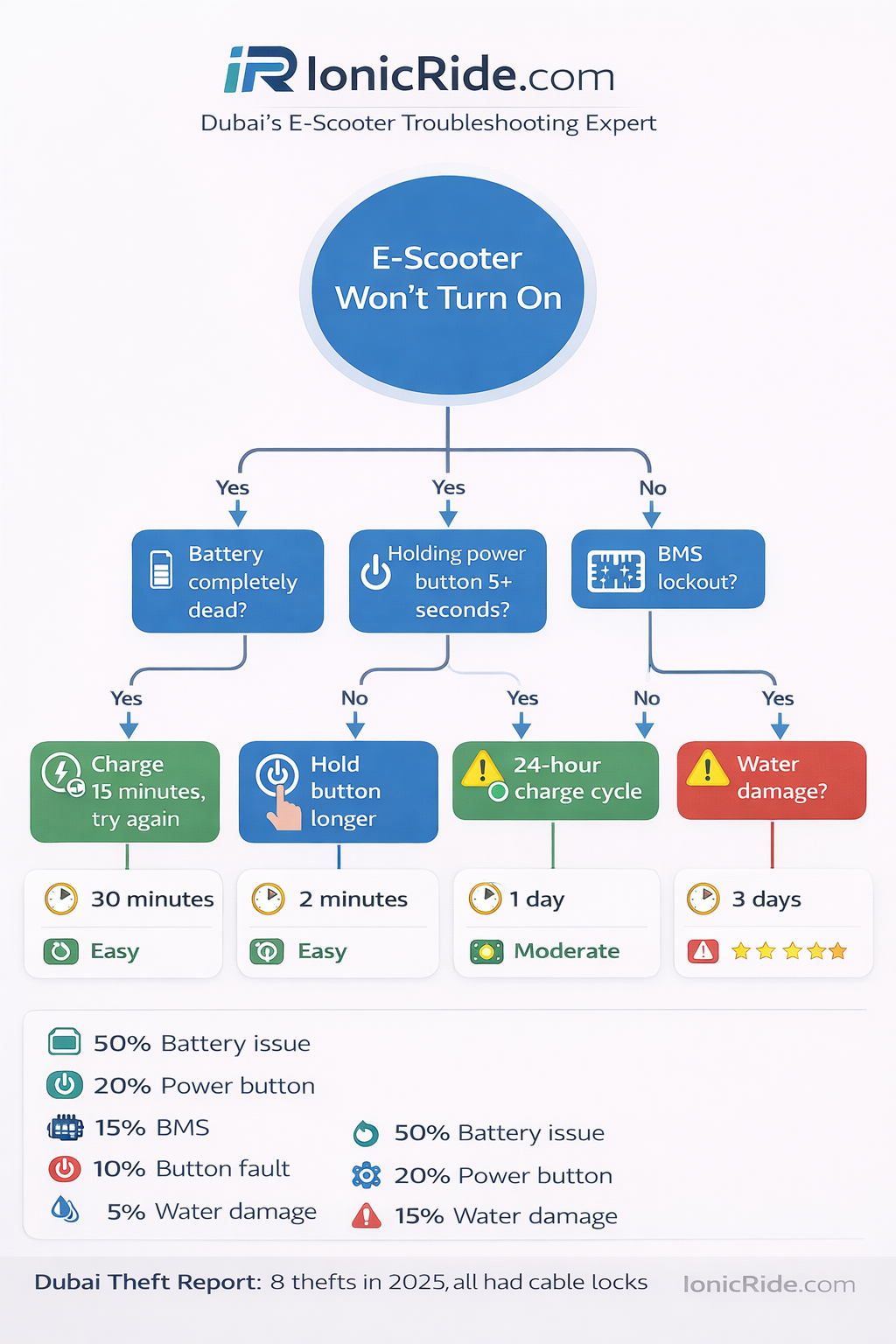
Quick Reference: Troubleshooting Flowchart
- Plug in charger, wait 15 min → Try turning on
- Works? Battery was dead. Problem solved.
- Still dead? Continue.
- Hold power button for 5 full seconds → Try again
- Works? You weren’t holding long enough. Problem solved.
- Still dead? Continue.
- Check for error codes on display
- Error code showing? BMS lockout. Try 24-hour charge.
- No display at all? Continue.
- Disconnect and reconnect display cable → Try turning on
- Works? Loose connection. Problem solved.
- Still dead? Continue.
- Did scooter get wet?
- Yes? Dry for 72 hours, then try.
- No? Take to repair shop.
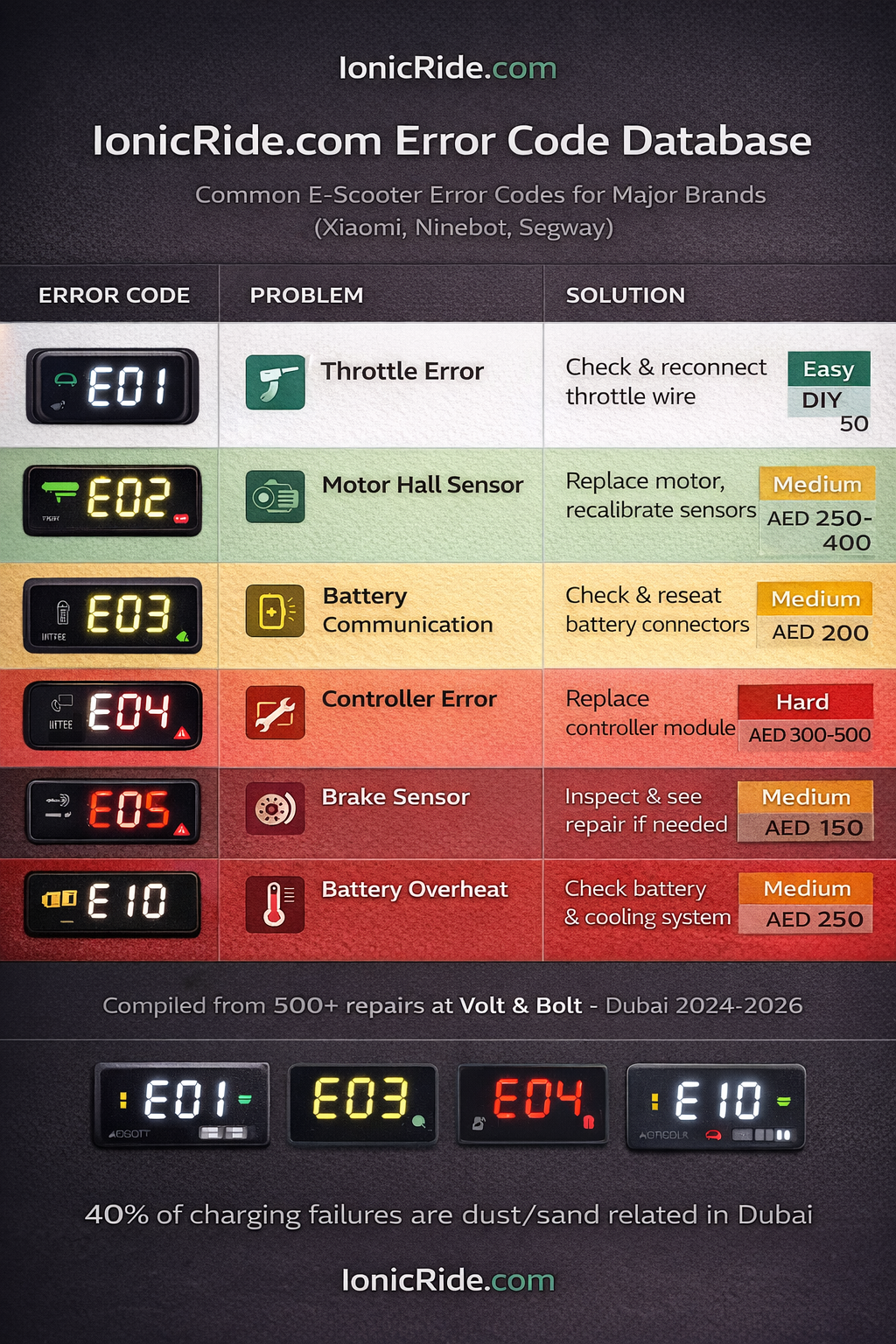
Common Error Codes (What They Mean)
| Error Code | Meaning | Fix |
|---|---|---|
| E01 | Accelerator/throttle error | Disconnect throttle cable, reconnect |
| E02 | Motor hall sensor error | Needs repair shop (sensor replacement) |
| E03 | Battery communication error | 24-hour charge to reset BMS |
| E04 | Controller error | Needs repair (controller replacement AED 200-400) |
| E05 | Brake sensor stuck | Check brake lever, clean sensor contacts |
| E10 | Battery overheat protection | Let cool 1 hour, try again |
No error code? Display completely dead? Skip to Fix #4 (faulty display/button).
