Why Is My E-Scooter Beeping? 7 Beep Codes Decoded (Dubai Fix Guide)
Customer called yesterday. “My scooter won’t stop beeping. It’s driving me insane.”
“Continuous beep or pattern?” I asked.
“Beep-beep… beep-beep… beep-beep. Over and over.”
Brake sensor stuck. Fixed in 30 seconds.
Here are all 7 beep patterns, what they mean, and how to make them stop.
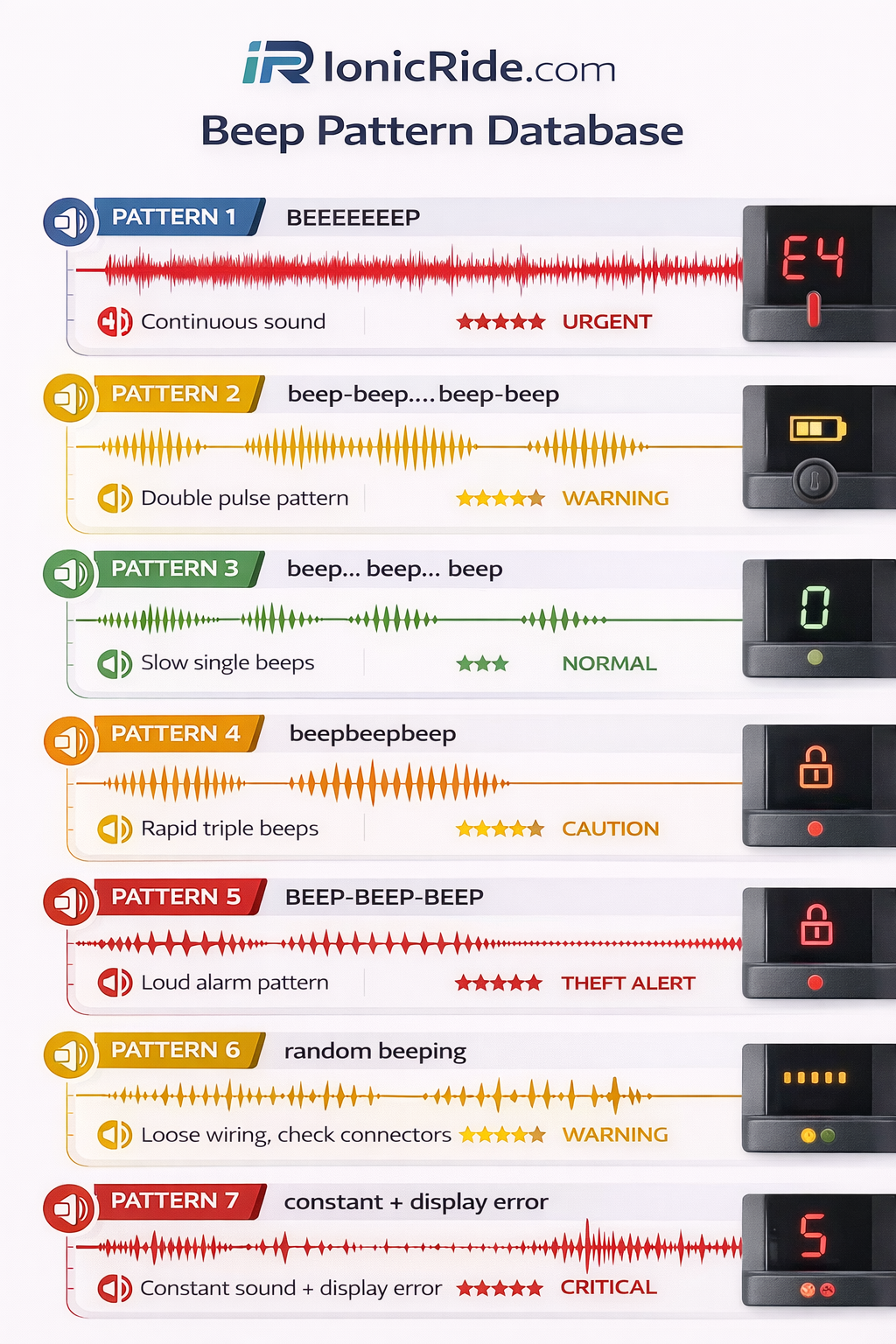
Quick Beep Pattern Decoder
| Beep Pattern | What It Means | Urgency |
|---|---|---|
| BEEEEEEP (continuous) | Low battery warning (under 20%) | ⚠ Warning |
| beep-beep… beep-beep | Brake sensor triggered | ✓ Normal |
| beep… beep… beep (slow) | Speed limit mode active | ✓ Normal |
| beepbeepbeep (fast, 3x) | Motor overload/overheating | ⚠ Warning |
| BEEP-BEEP-BEEP (loud alarm) | Theft alarm activated | ✓ Normal |
| Random beeping while riding | Loose sensor cable | ⚠ Warning |
| Constant beep + won’t move | Critical error (E-code) | 🚨 Urgent |
Beep #1: Continuous Beep (Low Battery Warning)
Sound: BEEEEEEP (long, continuous tone)
What triggers it:
Battery drops below 20%. Scooter warns you to charge soon.
When it happens:
- While riding (suddenly starts beeping)
- Accompanies flashing battery icon on display
- Gets more frequent as battery drains further
What to do:
- Head home or to nearest charging point
- Don’t panic – you still have 10-15% battery left
- Charge as soon as possible
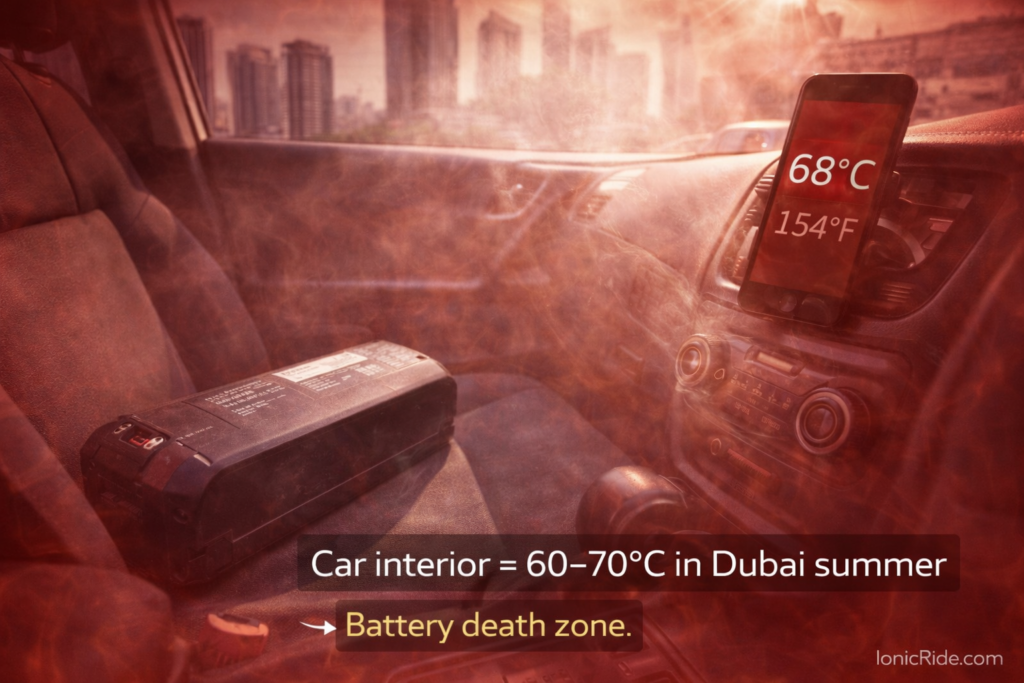
Battery drains faster in 45°C heat. You might get the warning earlier than expected (at 25% instead of 20%).
Plan your range conservatively in summer.
How to stop the beep:
You can’t. It’ll beep until you charge. Some models let you acknowledge it by pressing a button, but it’ll beep again every few minutes.
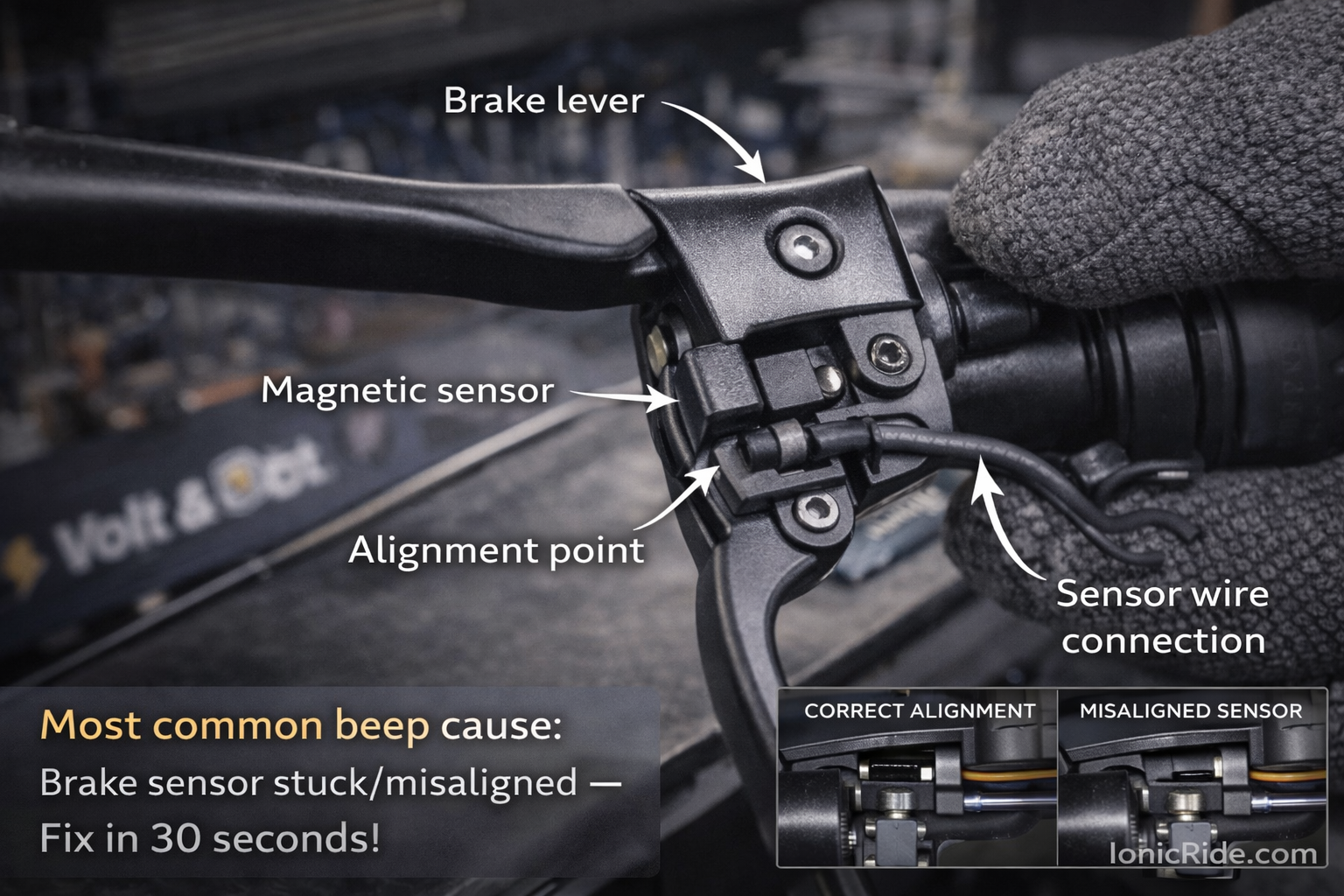
Beep #2: Double Beep Pattern (Brake Sensor)
Sound: beep-beep… beep-beep… (repeating double beep)
What triggers it:
Brake sensor thinks brake is engaged. Scooter won’t accelerate while beeping.
Common causes:
- Brake lever stuck slightly pressed
- Brake sensor cable loose/disconnected
- Sand in brake mechanism (Dubai)
- Brake lever bent from drop/crash
Quick fix:
- Pull brake lever fully, then release
- Do this 3-4 times
- If still beeping → Check brake isn’t touching sensor when released
- Adjust brake lever position if needed
Squeeze brake lever hard 5 times. Wiggle it. Release completely. Beeping usually stops.
If fix doesn’t work:
Brake sensor is faulty. You can temporarily disconnect sensor cable (under handlebar) to ride home. But BE CAREFUL – scooter won’t know if brake is on. Don’t accelerate while braking.
Permanent fix: Brake sensor replacement (AED 30-60 part, 10 min labor)
Beep #3: Slow Beeping (Speed Limit Mode)
Sound: beep… beep… beep… (slow, rhythmic)
What triggers it:
Scooter is in speed-limited mode. Usually “pedestrian mode” or “eco mode.”
Why it happens:
- You accidentally switched to eco/pedestrian mode
- App-connected scooters can enforce speed limits via app
- Some rental scooters beep when entering restricted zones
How to fix:
- Check display – look for mode indicator (usually shows “ECO” or “1”)
- Press mode button to cycle through modes
- Switch to “Sport” or “Drive” mode
- Beeping stops
Lime/Tier scooters beep in “no-parking zones” or when you ride too fast near pedestrians. You can’t disable this – it’s enforced by GPS.
Beep #4: Fast Triple Beep (Motor Overload)
Sound: beepbeepbeep (fast three beeps, then pause, repeats)
What triggers it:
Motor is working too hard. Either overloaded or overheating.
Common causes:
- Climbing steep hill with too much weight
- Motor overheated (Dubai summer heat)
- Tire pressure too low (motor works harder)
- Riding through sand/mud (motor straining)
What to do immediately:
- Stop riding
- Let scooter rest for 10-15 minutes
- Check tire pressure (should be at recommended PSI)
- If climbing hill, walk scooter up instead
Continued overload can burn out motor. Motor replacement costs AED 800-1,200.
If beeping happens frequently, you’re either too heavy for the scooter or riding it beyond its capabilities.
Beep #5: Loud Alarm (Theft Protection)
Sound: BEEP-BEEP-BEEP-BEEP-BEEP (loud, continuous alarm)
What triggers it:
Motion detected while scooter is locked (via app or built-in alarm).
When it happens:
- Someone tries to move/steal locked scooter
- Wind tips over parked scooter
- You forgot you enabled alarm and moved scooter yourself
How to stop it:
- Open scooter app on phone
- Tap “Unlock” or “Disable Alarm”
- OR press power button 3 times quickly (some models)
- Alarm stops
Try turning scooter on with power button. If alarm is on, it won’t power on until you unlock via app.
If alarm won’t stop:
Battery might be dead in phone, or app connection lost. Last resort: Disconnect battery (if you know how) or let alarm drain scooter battery (30-60 minutes).
Beep #6: Random Beeping While Riding (Loose Cable)
Sound: Unpredictable beeps – no clear pattern
What causes it:
Sensor cable is loose. Vibrations while riding cause intermittent connection = random beeps.
Which cables usually get loose:
- Brake sensor cable
- Throttle cable
- Display cable
- Battery connection
How to diagnose:
- Ride scooter and listen for beeps
- Hit a bump – does it beep?
- Wiggle handlebars – does it beep?
- If yes to either → loose cable in handlebar area
Quick fix:
- Power off scooter
- Remove handlebar rubber grip/cover
- Check all visible cables
- Disconnect and reconnect each firmly
- Wrap any exposed connectors with electrical tape
- Test ride
Speed bumps, potholes, and construction zones shake cables loose over time. Check and tighten cables every 3-6 months.
Beep #7: Constant Beep + Won’t Move (Critical Error)
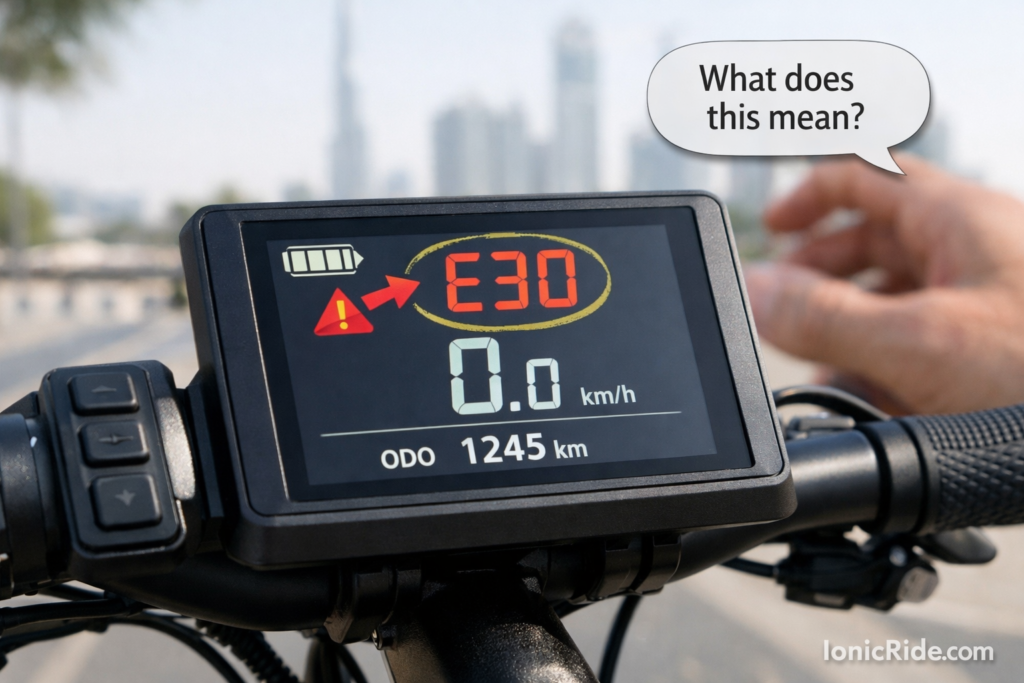
Sound: Non-stop beeping + error code on display
What it means:
Controller detected critical fault. Scooter locked itself to prevent damage or injury.
Common error codes with beeping:
- E02: Motor hall sensor failure
- E03: Battery communication error
- E04: Controller malfunction
- E10: Battery temperature too high
What to do:
- Power off scooter completely
- Wait 5 minutes
- Power on again
- If error clears → test ride carefully
- If error persists → don’t ride, needs repair
E02/E04 errors can cause sudden motor cutout while riding. You’ll crash.
E10 (overheating) can lead to battery fire if ignored.
Take scooter to repair shop immediately.
How to Disable Beeping Permanently (Not Recommended)
Some people ask: “Can I just turn off all beeps?”
Technically yes, but don’t.
- Low battery warning saves you from getting stranded
- Motor overload warning prevents expensive damage
- Brake sensor beep alerts you to safety issue
- Critical errors beep for a reason
If beeping really bothers you, fix the underlying problem instead of muting the symptom.
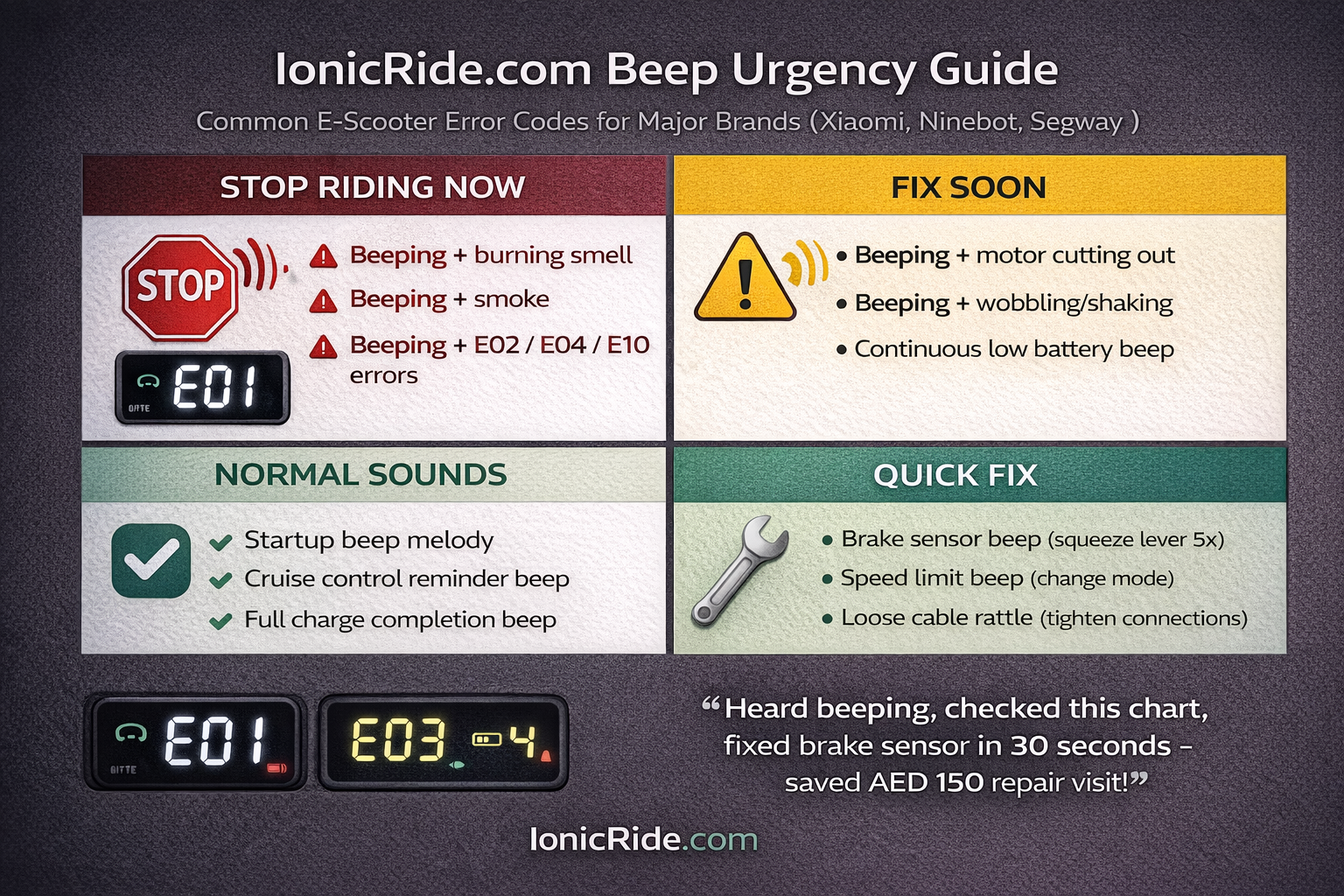
When Beeping Means “Stop Riding Now”
- Beeping + burning smell
- Beeping + smoke from deck/battery
- Beeping + scooter wobbling/shaking
- Beeping + motor cutting out intermittently
- Beeping + display shows E02, E04, or E10
Push scooter to safe location. Don’t ride. Call repair shop or taxi.
Brand-Specific Beep Patterns
| Brand | Unique Beeps | What It Means |
|---|---|---|
| Xiaomi M365/Pro | 5 quick beeps on startup | Normal boot sound (not an error) |
| Ninebot Max | Single beep every 30 seconds | Cruise control active reminder |
| Xiaomi Pro 2 | Melody beep (do-re-mi) | Battery fully charged notification |
| Segway Ninebot | Beep when tilting back | Speed limit warning (tilt = slow down) |
Quick Troubleshooting Checklist
- Check battery level → Under 20%? Charge it.
- Try brake lever trick → Squeeze 5x, wiggle, release.
- Check display for error code → Note code, look it up.
- Power cycle → Turn off, wait 30 sec, turn on.
- Check cables → Wiggle handlebars, does beep change?
- Let cool down → If overheating, wait 15 min.
- Still beeping? → Take to repair shop with error code.