

E-Scooter Not Charging? Fix It in 10 Minutes (Dubai Heat Edition)
Customer walked in yesterday. Xiaomi Pro 2. “It won’t charge. Worked fine last week.”
I asked three questions. Found the problem in two minutes. Fixed it in ten.
Most charging issues aren’t the battery. They’re simpler than that. Here’s how to diagnose yours before spending 400 AED at a repair shop.
Start Here: The 60-Second Diagnostic
Before you do anything else, answer these:
- Plug charger into wall. Does the charger’s LED light turn on?
- Plug charger into scooter. Does the scooter’s charging indicator light up?
- Wait 5 minutes. Does anything change? (Light color, battery percentage on display)
Based on your answers, jump to the right section below.
| What You See | Problem Location | Jump To Section |
|---|---|---|
| No light on charger (wall plug) | Wall outlet or charger dead | Charger Problems |
| Charger lights up, scooter doesn’t | Charging port or cable | Port Problems |
| Both light up, no charging progress | Battery or BMS issue | Battery Problems |
| Charges very slowly (12+ hours) | Battery degradation or heat | Dubai Heat Issues |
| Charges to 80%, stops | BMS protection mode | BMS Protection |
Problem 1: Dead Charger (Most Common)
If the charger’s LED doesn’t light up when plugged into the wall, your charger is probably dead.
How to confirm it’s the charger:
- Plug your phone charger into the same outlet → Does it work?
- If yes, the outlet is fine. Problem is your scooter charger.
- If no, try a different outlet in your apartment.
Power surges during summer AC load spikes kill chargers. We see this every June-August. The charger’s internal fuse blows. Not fixable. Replace it.
Charger LED meanings (standard for most brands):
- Red light: Charging actively
- Green light: Fully charged or no battery detected
- No light: Dead charger or no power from outlet
- Flashing red/green: Fault detected (overheating, short circuit)
Quick fix:
You need a replacement charger.
✓ Where to Buy (Dubai):
- Noon.com: 2-day delivery, AED 80-150
- Dragon Mart: Same day, AED 60-120 (check voltage specs)
- Brand service centers: Xiaomi/Ninebot official, AED 180-250
- Our shop (Volt & Bolt): In stock, AED 100-180, tested before you leave
✗ Don’t Buy From:
- Random Instagram sellers (no warranty)
- Chargers with wrong voltage specs
- Generic “universal” chargers (incompatible connectors)
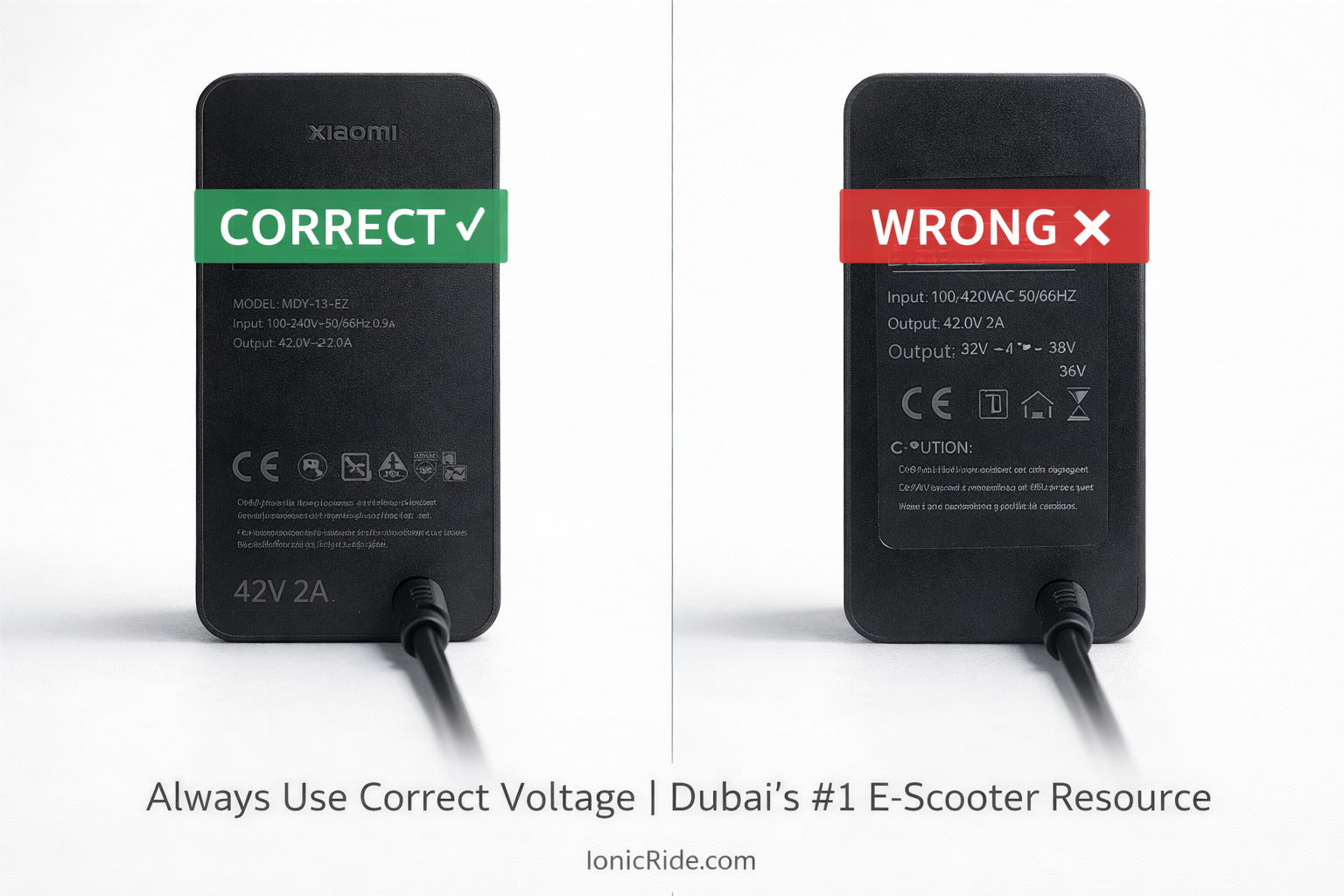
Xiaomi M365/Pro: 42V charger
Ninebot Max: 42V charger
Most 36V scooters: 42V charger (yes, really – charging voltage is higher than battery voltage)
Wrong voltage = fried battery. Check your old charger’s label or manual before buying.
Problem 2: Charging Port Issues
Charger lights up. Scooter doesn’t respond. Port problem.
Visual inspection (takes 30 seconds):
- Look inside the scooter’s charging port
- Shine your phone flashlight in there
- What do you see?
✓ Normal Port Looks Like:
- Clean metal pins (silver/gold color)
- No debris inside
- Pins are straight, not bent
- Rubber seal intact (if your model has one)
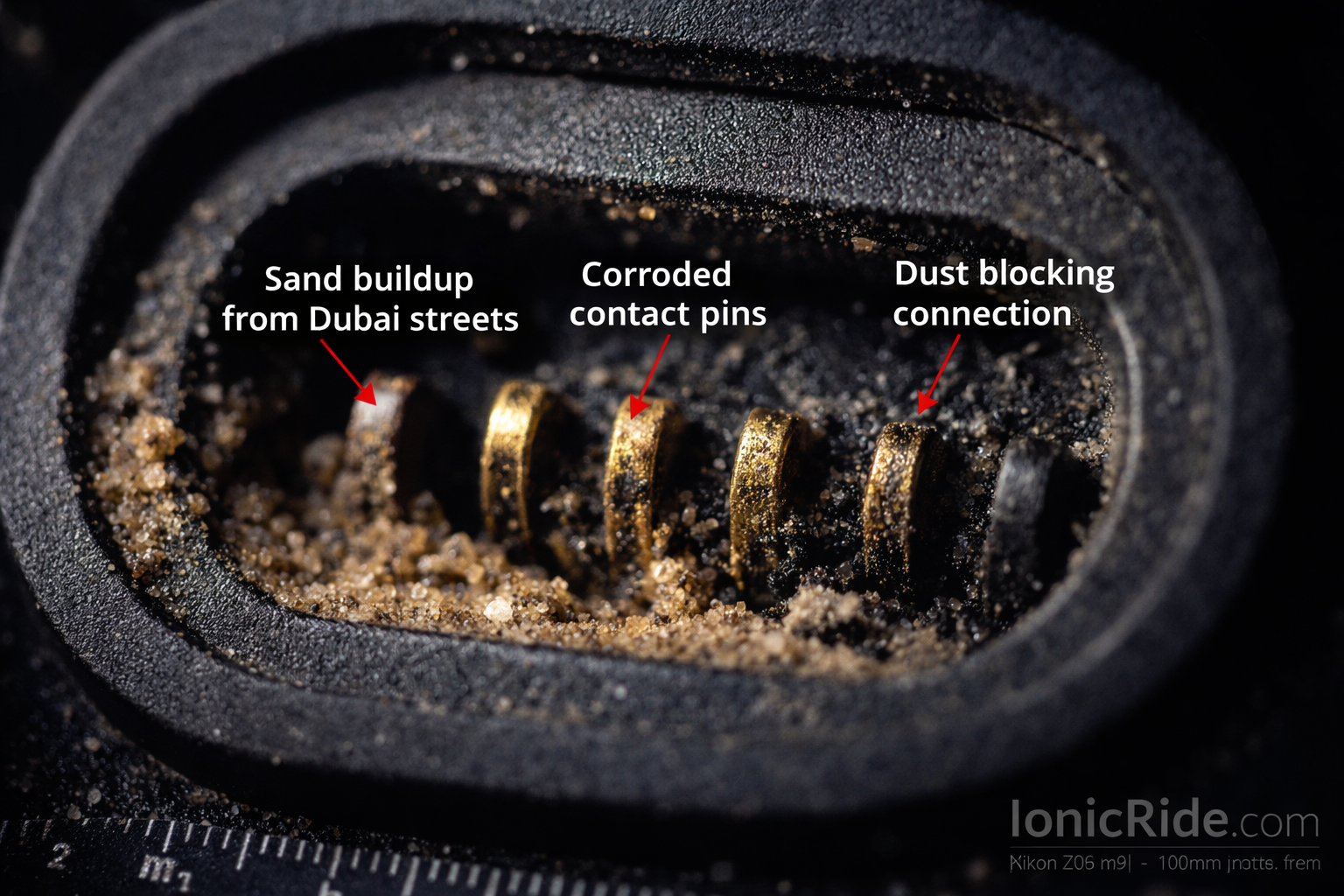
✗ Problem Port Looks Like:
- Sand/dust packed inside (hello, Dubai)
- Bent or broken pins
- Green corrosion on metal
- Burn marks or melted plastic
DIY fixes (safe to try):
If you see sand/dust:
- Power OFF the scooter completely
- Use compressed air to blow out debris (Carrefour sells cans, AED 15)
- Or use a dry toothbrush to gently brush it out
- DON’T use water or cleaning solutions
- Let it air out for 10 minutes
- Try charging again
If you see bent pins (slightly bent, not broken):
- Power OFF completely
- Use a plastic toothpick or non-conductive tool
- GENTLY straighten the pin back to center
- Don’t use metal tools (risk of short circuit)
- Try charging
- Burn marks (electrical fault – needs professional repair)
- Broken/missing pins (needs port replacement)
- Heavy corrosion (port is toast)
Bring it to a repair shop. Port replacement costs AED 150-300 depending on model.
The Dubai sand problem:
We clean 5-10 charging ports per week. All sand.
Why? Dubai’s fine dust gets everywhere. Your scooter’s charging port has zero protection unless you buy a rubber plug.
Buy silicone dust plugs for your charging port. Dragon Mart, most phone accessory shops, or Noon.com.
Plug it in when not charging. Saves you a AED 200 repair bill later.
Problem 3: Battery Won’t Hold Charge
Charger works. Port is clean. Scooter shows “charging” but:
- Takes 12+ hours to charge (normal is 4-6 hours)
- Charges to 100% but dies after 5 km (used to go 20 km)
- Battery percentage jumps around (shows 80%, drops to 20% suddenly)
Your battery is degraded.
Why batteries die in Dubai:
Optimal battery temp: 20-25°C
Dubai summer temp: 45°C outdoors, 60°C+ if you leave your scooter in the sun
Every 10°C above optimal = 50% faster degradation
Math: Your battery’s 500-cycle lifespan becomes 250 cycles in Dubai heat.
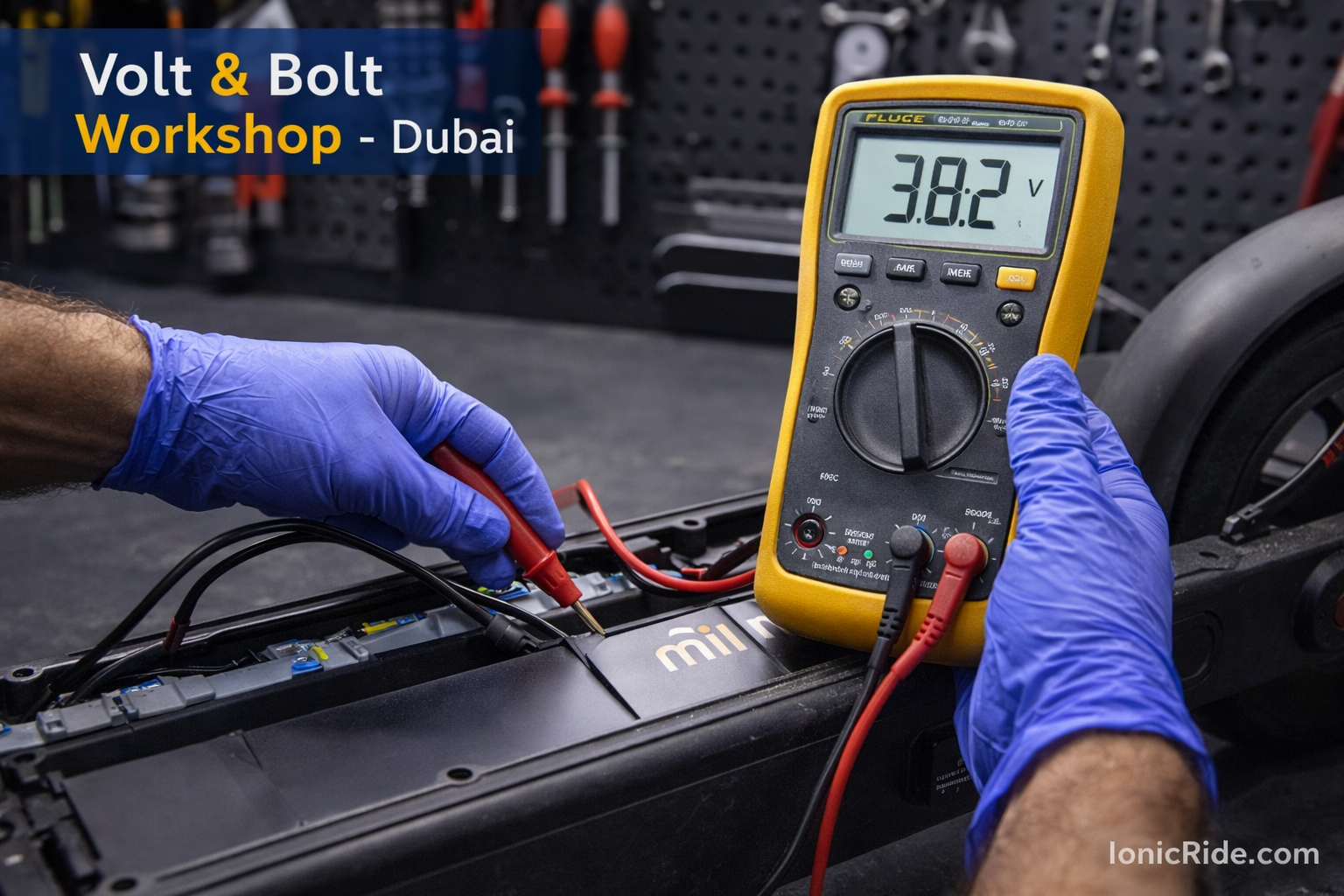
Battery health test (no tools needed):
- Fully charge your scooter (100%)
- Ride it normally until it dies completely
- How far did you get?
Compare to manufacturer specs:
| Model | New Battery Range | Replace If Under |
|---|---|---|
| Xiaomi M365 | 30 km | 12 km |
| Xiaomi Pro 2 | 45 km | 18 km |
| Ninebot Max G30 | 65 km | 25 km |
| Most budget scooters | 20-25 km | 8 km |
Below replacement threshold? Battery is done.
Battery replacement costs (Dubai):
- Xiaomi M365/Pro: AED 400-600 (genuine), AED 250-350 (aftermarket)
- Ninebot Max: AED 600-800 (genuine), AED 400-500 (aftermarket)
- Generic brands: AED 200-400 (usually only aftermarket available)
Battery replacement: AED 400-600
New budget scooter: AED 800-1200
If your scooter is 2+ years old and the frame/wheels are also worn, just buy new.
Problem 4: Slow Charging (Dubai Heat Special)
Scooter charges. Just… very… slowly.
Used to charge in 4 hours. Now takes 10-12 hours.
This is heat-related throttling.
What’s happening:
Your scooter’s BMS (Battery Management System) detects high temperature. It slows down charging to prevent thermal runaway (battery fire).
Think of the BMS like a bouncer at a club. When it’s too hot inside, the bouncer slows down the entry rate.
The fix:
- Move your scooter to the coolest room in your apartment (usually bathroom or bedroom with AC)
- Let it cool down for 30 minutes before plugging in charger
- Charge during night hours when ambient temp is lower
- Never charge immediately after riding in summer (battery is already hot from discharge + Dubai heat)
Charge your scooter in the bathroom. Close the door. Turn on AC in the adjacent bedroom with bathroom door cracked open.
Bathroom stays cool. Scooter charges at normal speed. Costs you AED 2 in electricity vs. AED 0 extra, but saves 6 hours of charging time.
Don’t do this (we’ve seen it):
- Don’t put ice packs on the battery (condensation kills electronics)
- Don’t charge in direct sunlight “because solar charging is free” (it’s not solar, and you’ll kill the battery)
- Don’t use a fan pointed at the battery while charging (airflow helps a little, but not worth the noise overnight)
Problem 5: Charging Stops at 80%
Your scooter charges to 80%, then stops. Won’t go to 100%.
This is usually BMS protection mode.
Why it happens:
Battery cells are unbalanced. Some cells are at 4.2V (full), others are at 3.8V (80%). The BMS detects this imbalance and stops charging to prevent overcharging the full cells.
The fix (cell balancing):
- Leave scooter plugged in for 24 hours straight
- The BMS will slowly balance cells during this time
- It’ll look like nothing is happening. That’s normal.
- After 24 hours, unplug and check battery percentage
If it now charges to 100%: Problem solved.
If it still stops at 80%: BMS or battery is faulty. Needs professional repair.
If your scooter is 2+ years old and 80% capacity still gets you where you need to go, don’t stress about the missing 20%.
BMS replacement: AED 200-400. Battery replacement: AED 400-600. Is the extra 20% capacity worth AED 400?
When to Stop DIY and Call a Professional
Bring your scooter to a repair shop if:
- Battery smells like chemicals or is swollen/bulging
- Scooter sparked when you plugged in charger
- Burn marks anywhere on scooter
- Battery gets extremely hot during charging (too hot to touch)
- Error codes on display you don’t understand
- You’ve tried everything above and still no charging
These are electrical faults. DIY fixes = risk of fire or injury.
Repair shop costs (Dubai estimate):
| Issue | Diagnosis Fee | Repair Cost |
|---|---|---|
| Charging port replacement | Free | AED 150-300 |
| BMS replacement | Free | AED 200-400 |
| Battery replacement | Free | AED 400-800 |
| Internal wiring repair | AED 50 | AED 100-250 |
| Motherboard replacement | AED 50 | AED 300-600 |
Xiaomi/Ninebot authorized: 3-week wait, AED 400-800, warranty preserved
Deira phone repair guy: Same day, AED 150-300, warranty void
Your scooter already has sand damage. Warranty is probably void anyway. We use the Deira guy for most customer repairs.
Prevention: How to Not End Up Here Again
Most charging problems are preventable. Here’s what we tell customers:
- Never leave scooter in direct sun. Park in shade. Battery temp spikes to 70°C+ in sun.
- Don’t charge immediately after riding. Let battery cool 20-30 minutes first.
- Store at 50-80% charge if not riding for weeks. Full charge degrades faster in heat.
- Use a charging port dust plug. AED 10 accessory prevents AED 200 repairs.
- Charge indoors with AC. Not in garage or balcony where temps hit 50°C.
- Don’t leave plugged in for days. Charge, unplug when done. Constant trickle charging degrades battery.
So—Is Your Scooter Charging Now?
Quick recap of the diagnostic path:
- No light on charger? → Replace charger (AED 100-250)
- Port dirty/damaged? → Clean with compressed air OR replace port (AED 150-300)
- Battery degraded? → Replace battery (AED 400-800) or buy new scooter
- Charging super slow? → Cool down scooter, charge in AC room
- Stops at 80%? → Leave plugged in 24 hours for cell balancing
Most issues are fixable in 10 minutes for under AED 100.
Battery replacement is the expensive one. Do the math on repair vs. replace before committing.
