E-Scooter Won’t Turn On: 10 Fixes Before Calling Repair (Dubai Guide)
You press the power button. Nothing. No display. No light. No sound. Your e-scooter is completely dead and you have no idea why. It was working yesterday.
A dead scooter feels like a bigger problem than it usually is. People panic and assume the worst — the battery is destroyed, the controller is fried, it’s a write-off. But in the workshop, the majority of “completely dead” scooters have a simple cause. A discharged battery that the BMS locked out. A loose connector. A blown fuse that costs AED 5 to replace. The expensive faults exist — but they’re not the most common ones.
These are the 10 things to check and fix yourself before you spend money on a repair shop. Work through them in order — they’re arranged from most likely to least likely, so you’ll hit the answer fast in most cases.
Before You Do Anything: Rule Out the Obvious
This sounds stupid, but do it anyway. These two things account for more “dead scooter” visits to the shop than you’d think.
1. Is the power button actually working? Press it firmly — not a tap, a real press and hold for 3 seconds. Some buttons are stiff, especially after sitting in the sun. If the button feels loose or doesn’t click, it might be physically broken.
2. Is the battery actually in the scooter? On removable battery models (most Xiaomi and Segway), the battery slides in and locks. If it’s not fully seated, the scooter gets zero power. Pull it out and push it back in firmly until you hear or feel it click.
The 10 Fixes: Work Through These in Order
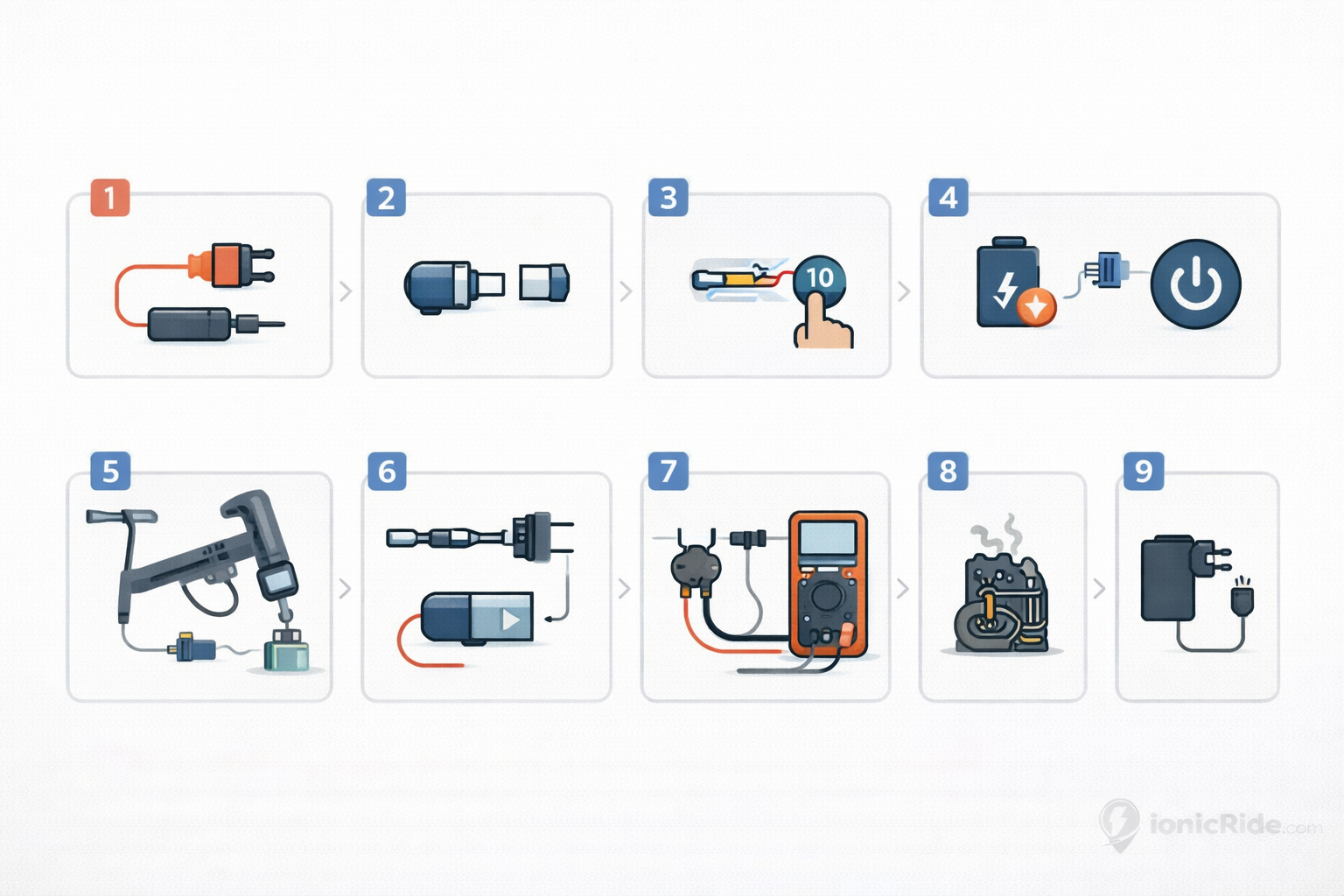
Each fix takes 1–5 minutes. Don’t skip ahead. The order matters — later fixes assume earlier ones have been ruled out.
- 1
Charge the Battery for 30 Minutes
Even if you think it’s not a battery issue, do this first. If the battery dropped below the BMS cutoff voltage — which happens fast in Dubai heat when a scooter sits unused — it won’t power on at all. No display, no sound, nothing. Plug it in, wait 30 minutes, try again. If you see the charging indicator light come on, that’s your answer. Full charge, then ride.
- 2
Reseat the Battery Connector
The cable that runs from the battery to the scooter’s main harness has a plug connector. Unplug it and plug it back in firmly. On removable battery models, this is the connector at the top of the battery slot. Dust and heat make these connectors loose over time. A bad connection here means zero power reaches the controller — identical symptoms to a dead battery.
- 3
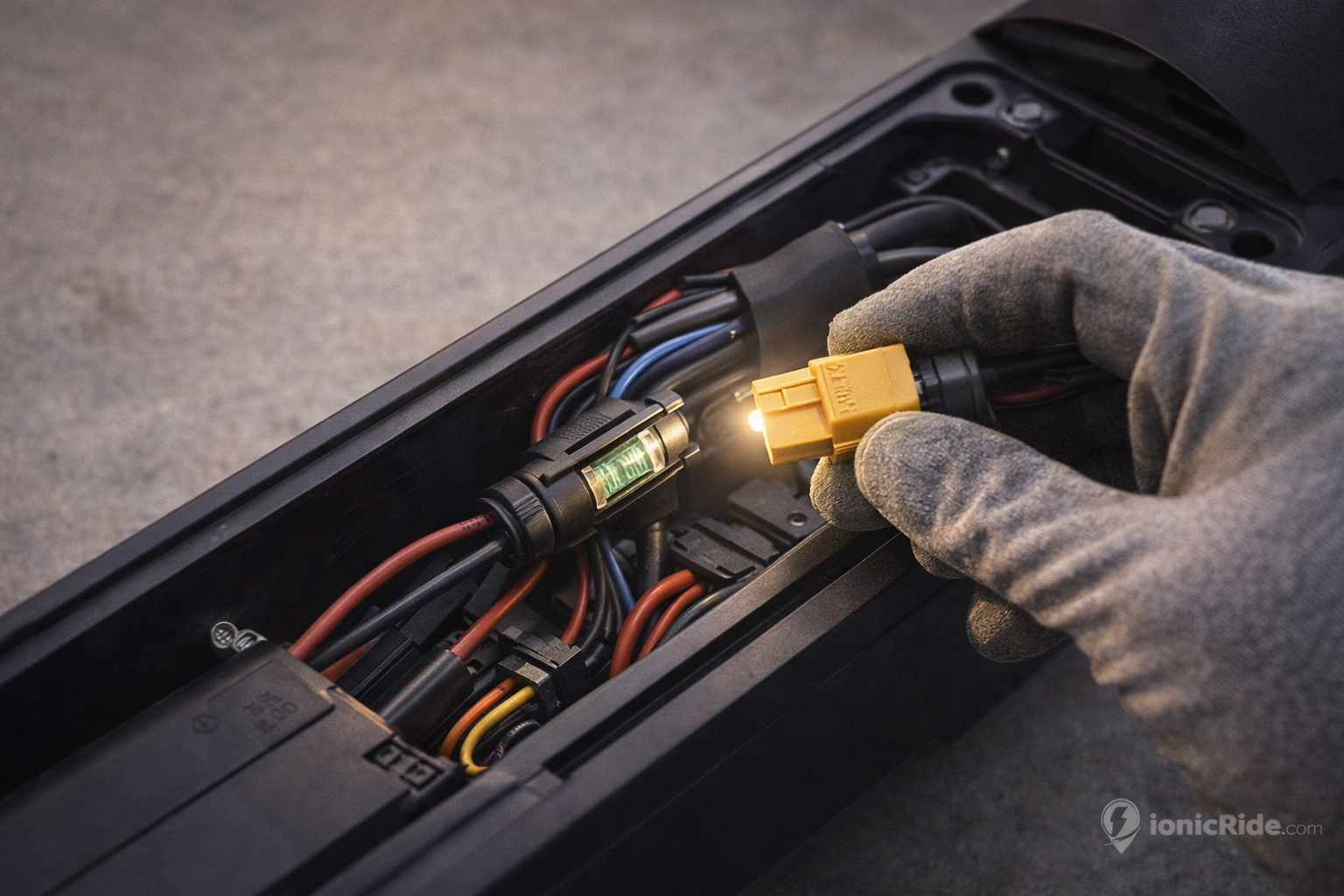
Check the Fuse
Most e-scooters have a fuse — a small glass or ceramic cylinder, usually 5A or 10A, located near the battery connector or inside the frame. Pull it out and look at the wire inside. If it’s snapped or the glass is blackened, it’s blown. Replace it with an identical fuse — AED 5–15 at any electronics shop. Dragon Mart Hall 7 has them. A blown fuse usually means something shorted at some point, so check your wiring before you just replace it and assume the problem is solved.
- 4
Hold the Power Button for 10 Seconds
Some scooters — particularly Segway Ninebot models — require a long press to power on after the BMS has tripped. Press and hold the power button for a full 10 seconds. Don’t release early. If the display flickers or you hear a click, it’s coming back. This resets the BMS protection mode in some firmware versions.
- 5
Try Turning It On While Plugged Into the Charger
Plug the charger in first, wait 2 minutes, then press the power button. Some scooters won’t power on from the battery alone if it’s below the minimum threshold — but they will power on while actively charging because the charger supplies enough voltage to wake the controller. If it turns on this way but not from battery alone, your battery has dropped too low for the BMS to accept a charge through normal means.
- 6
Check All Cable Connectors Inside the Frame
Open the frame panel (usually a few screws on the underside). Inside you’ll see several plugged connectors — battery, motor, throttle, display, brakes. Unplug each one and plug it back in. Look for any that are corroded (green or white residue on the pins), bent, or visibly loose. Dubai humidity causes connector corrosion faster than most places. A single bad connector can kill the whole scooter. Clean corroded pins with a pencil eraser before reseating.
- 7
Check the Power Switch Wiring
The power button connects to the controller via a small wire. If this wire is disconnected or broken, pressing the button does nothing. Trace the wire from the back of the power button into the frame. Look for any breaks, loose connections, or damage. On some models the wire runs along the handlebar tube — sand and dust can work into the connector over time and break the connection.
- 8
Test the Battery With a Multimeter
Set your multimeter to DC voltage. Measure across the battery terminals (the main output connector). A healthy 36V battery should read 30V or above. If it reads below 25V, the battery is critically discharged — the BMS may have locked it out permanently. If it reads 0V, the battery is dead or there’s a break in the connection between the cells and the output. See the battery replacement guide for next steps.
- 9
Check the Controller for Physical Damage
Locate the controller board inside the frame. Inspect both sides under good light. Look for burn marks, cracked components, swollen capacitors, or water stains. Any visible damage means the controller is dead. If it looks fine visually, it could still be faulty internally — but at this point you’ve ruled out everything cheaper to fix first.
- 10
Try a Different Charger
If none of the above worked and the scooter won’t respond even while plugged in, the charger might be dead. Borrow or buy a replacement charger that matches your scooter’s voltage and amperage (check the label on your original). If the scooter powers on with the new charger, your original charger is the problem — not the scooter. Replacement chargers are AED 80–200 depending on the model.
A customer brought in a Xiaomi Mi Pro 2 from the Marina — completely dead, wouldn’t respond to anything. He’d already bought a new charger thinking that was the issue. We checked the battery: 18V. Way below the BMS cutoff. It had been sitting in his apartment for six weeks in August without being charged. The battery had drained completely and the BMS locked it out. We recovered it with a direct voltage boost using a lab power supply — brought it back up to 28V, then the normal charger took over. Total cost: AED 0. But that recovery tool isn’t something you’ll have at home. That’s a shop job.
The Most Common Cause: Battery BMS Lockout
Here’s the thing…
In Dubai, the single most common reason an e-scooter won’t turn on is the battery management system locking the battery out after it drops below the minimum voltage. This happens when a scooter sits unused — especially in summer when heat drains batteries faster — or when someone rides it down to zero and doesn’t charge it immediately.
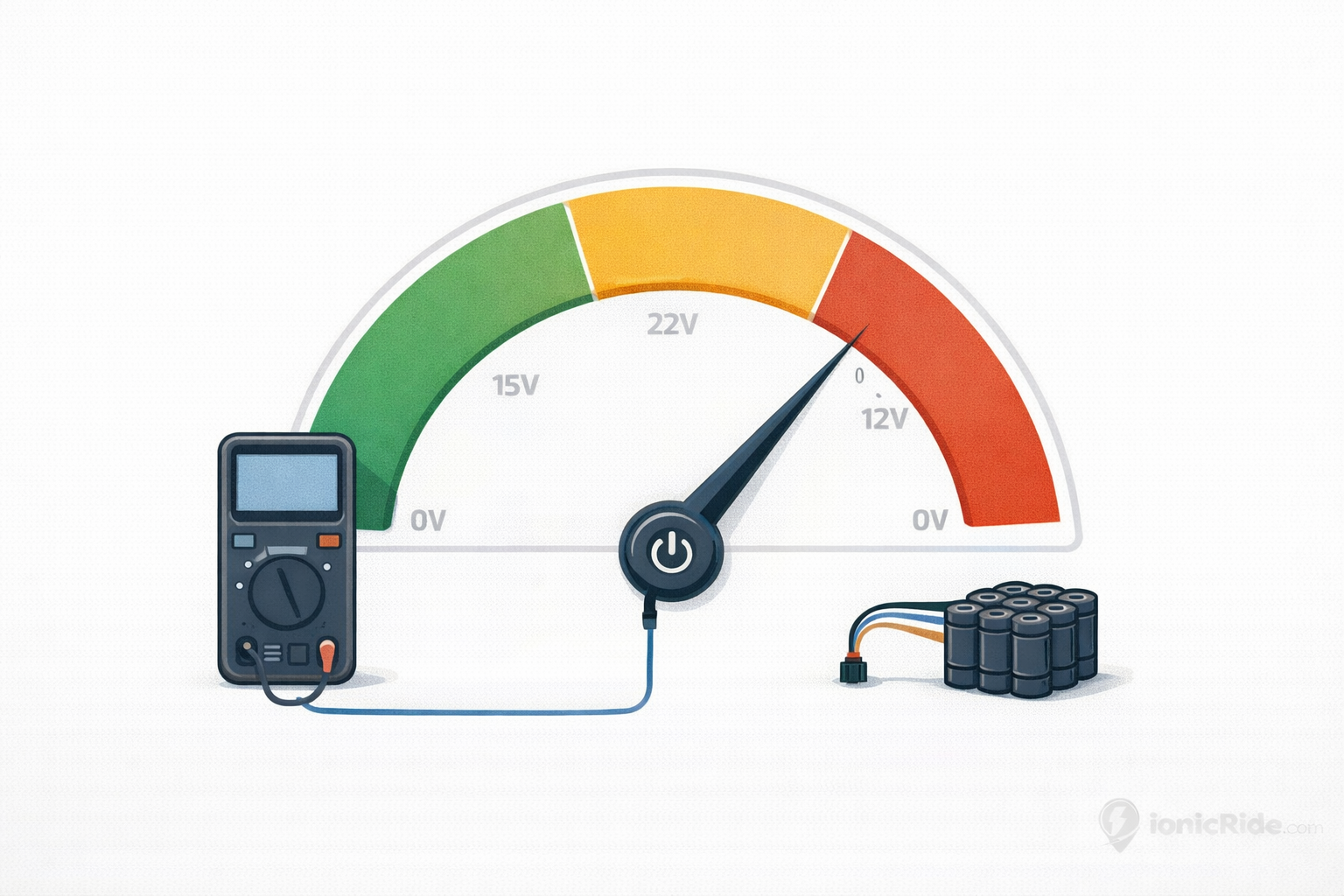
The BMS does this to protect the battery cells from permanent damage. Once the voltage drops below a certain threshold (usually around 25–28V on a 36V battery), the BMS cuts all output and won’t accept a normal charge. The scooter appears completely dead. The charger light may not even come on.
Battery Is Above 22V — Recoverable
If a multimeter shows the battery is still above 22V, it can usually be recovered. Some chargers have a recovery mode. Others need a brief boost from a lab power supply to bring the voltage back above the BMS threshold. Once it’s above 28V, the normal charger takes over and brings it back to full. A shop can do this for AED 100–200.
Battery Is Between 15–22V — Maybe Recoverable
Recovery is possible but the cells have likely taken damage. Even if you get it back to full charge, the capacity will be noticeably reduced — sometimes 20–30% less than original. Worth trying if the scooter is relatively new and the rest of it is in good shape. Not worth it on an older scooter where the battery was already degraded.
Battery Is Below 15V or Reads 0V — Replace It
The cells are dead. No amount of boosting will bring them back safely. Attempting to force-charge a battery this depleted can cause swelling or worse. The battery needs to be replaced. Cost: AED 500–1,200 depending on brand and model. See the battery replacement guide for the full breakdown.
Battery is confirmed dead or needs replacing? Full guide with pricing across every brand: E-Scooter Battery Replacement Dubai: Cost, Lifespan & Which Batteries Actually Last
How to Prevent This Happening Again
But here’s where it gets interesting…
A dead scooter is almost always a storage problem, not a riding problem. The scooter doesn’t die while you’re using it regularly — it dies when you stop using it. Dubai heat makes this worse because batteries discharge faster at higher temperatures.
✓ Keep the Battery Healthy
- Never let it sit below 20% for more than a day
- If storing for more than a week, charge to 50–80% first
- Charge once a week minimum even if you’re not riding
- Store indoors — not in a hot garage or under direct sun
- Don’t ride to absolute zero and then leave it
- Remove the battery if storing the scooter for a month+
✗ What Kills Batteries in Dubai
- Leaving it at 0% for weeks in summer heat
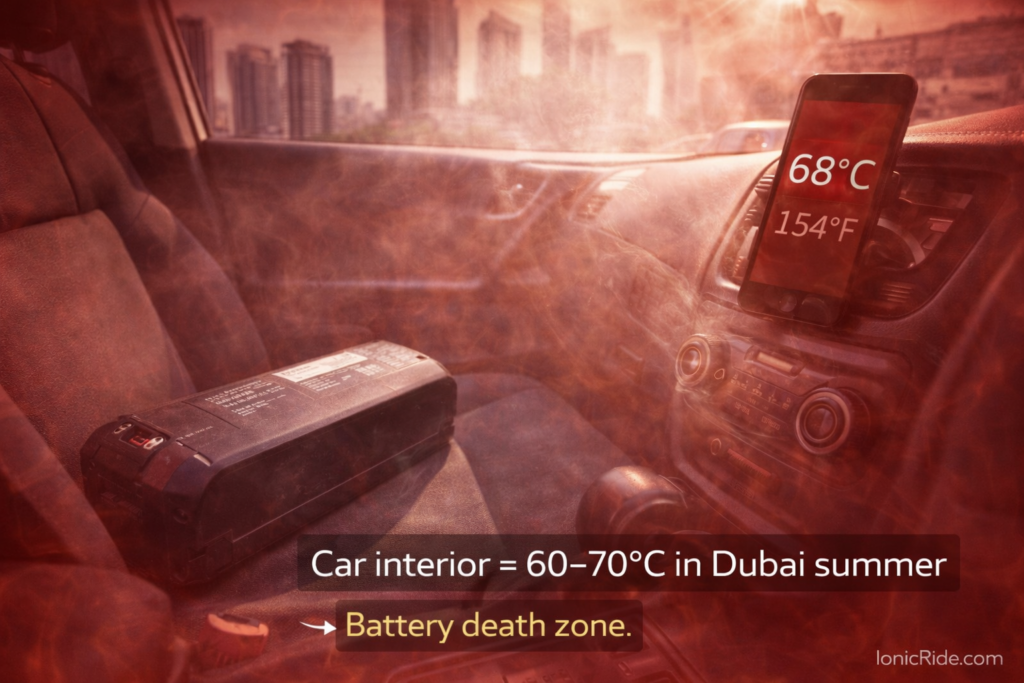
- Storing in a hot car or under direct sunlight
- Riding to zero repeatedly without charging same day
- Storing fully charged in 45°C+ for extended periods
- Using a wrong-voltage charger that overcharges
When None of the 10 Fixes Work
You’ve tried all 10. Battery is confirmed healthy on the multimeter. Fuse is good. All connections are solid. Power button works mechanically. And it still won’t turn on.
At this point, it’s either the controller or the display. Both are internal electronic faults that can’t be diagnosed or fixed without proper equipment. The controller is more likely — a dead controller produces exactly these symptoms: battery is fine, everything else is connected, but nothing powers on.
Still Dead After 10 Fixes? Here’s What’s Left
Next Steps| Possible Fault | How Likely | Repair Cost (AED) |
|---|---|---|
| Controller failure | Most likely | 350–1,050 (see controller guide) |
| Display unit failure | Possible | 250–400 |
| Internal wiring break | Possible | 100–250 (labour to find and repair) |
| BMS failure (battery board) | Possible | 200–400 |
Need a shop to diagnose it properly? Full directory with prices and wait times: E-Scooter Repair Dubai: 20 Shops with Prices, Reviews, Wait Times
Most dead e-scooters aren’t actually dead. They’re locked out by the BMS because the battery dropped too low — usually from sitting unused in Dubai heat.
Charge it first. Reseat the battery connector. Check the fuse. Hold the power button for 10 seconds. These four steps fix the majority of cases. If none of them work, check your connections and measure the battery voltage with a multimeter. Below 25V means the battery needs recovery or replacement.
If the battery is healthy and it still won’t power on, it’s a controller or internal wiring issue. That’s shop territory. Don’t waste more time on it — take it in, get a diagnosis, and decide whether the repair cost makes sense for the scooter’s age and value.
Dead Scooter — Quick Fix Checklist
- Plugged in and charging? Wait 30 minutes. If the charging light comes on, battery was just dead. Charge fully before riding.
- Battery connector reseated? Pull it out, push it back in firmly until it clicks. Do this before anything else.
- Fuse checked? Find it near the battery connector. If it’s blown (snapped wire inside), replace it. AED 5–15.
- Power button held for 10 seconds? Not a tap — a full 10-second hold. Resets BMS protection on some models.
- Battery voltage measured? Below 25V = BMS lockout. Below 15V = battery is done. Above 30V = battery is fine, problem is elsewhere.
- All internal connectors checked? Unplug and replug every connector inside the frame. Clean any corrosion off the pins.
- None of the above worked? It’s a controller or internal fault. Take it to a shop — don’t keep guessing.
Scooter is back on but the battery isn’t lasting like it used to?
Dubai heat degrades batteries fast. Here’s how to tell if yours needs replacing — and what it’ll cost.